
Client project · Automotive
Mitsubishi Motors VietnamConnecting sales, service and vehicle owners
Twin developed CRM web applications and mobile apps for Mitsubishi Motors Vietnam, bringing together manufacturer teams, dealers, sales staff and vehicle owners with SAP Dealer Management System integration.
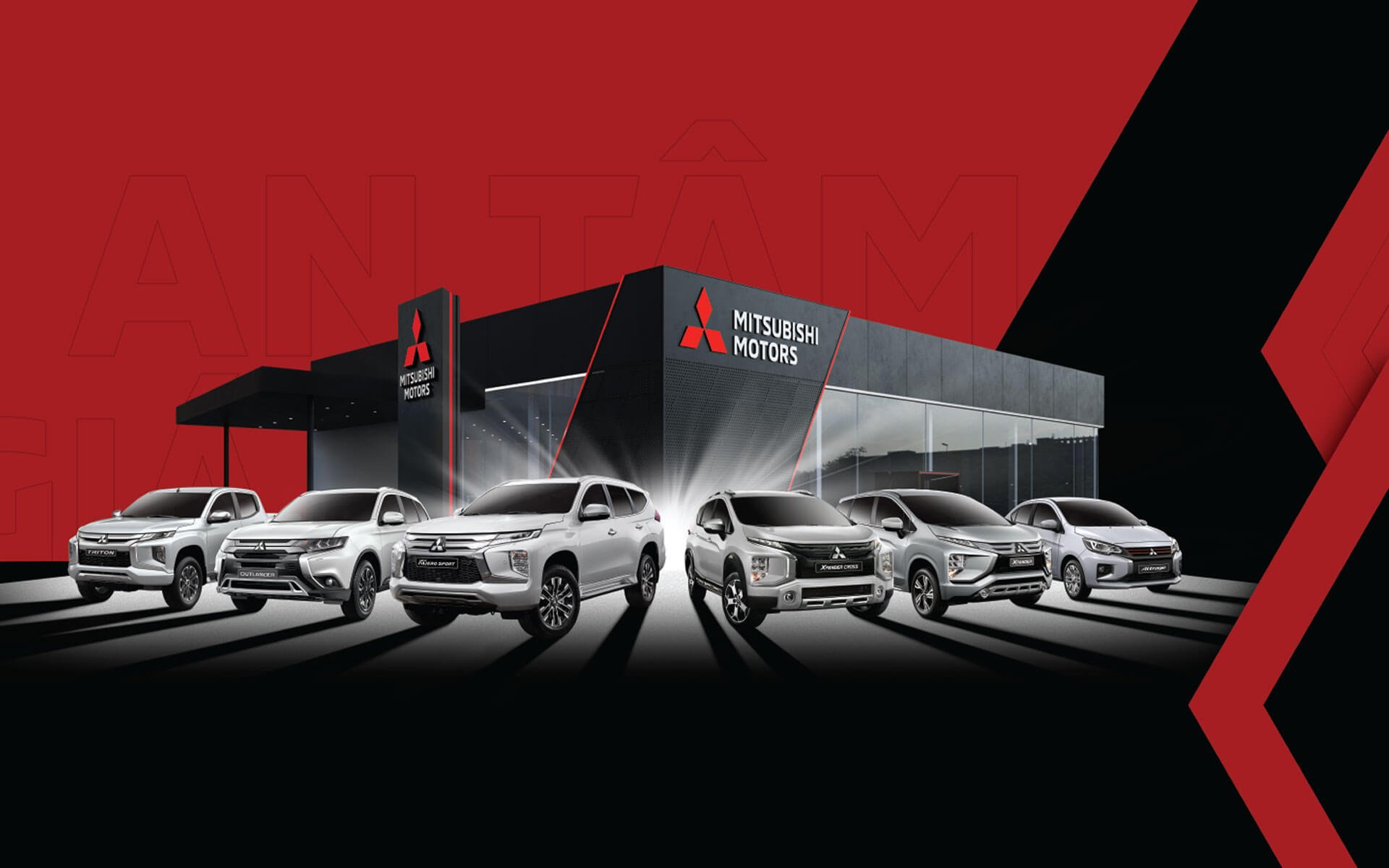
- Client
- Mitsubishi Motors Vietnam
- Users
- Manufacturer, dealers and customers
- Twin’s work
- Sales CRM, service CRM and mobile apps
- Connected system
- SAP Dealer Management System
About Mitsubishi Motors Vietnam
A CRM and mobile programme for a major participant in Vietnam’s automotive market
Mitsubishi Motors Vietnam is Mitsubishi Motors’ local subsidiary. The manufacturer reported record retail sales of 48,096 vehicles in fiscal 2025, an increase of 11.7% on the previous fiscal year and its second consecutive year of record sales.
Its Xpander series led Vietnam’s MPV segment among internal combustion engine vehicles for a seventh consecutive year. That local market presence gives the engagement its context: Twin developed applications for manufacturer teams, dealers, sales and service staff, and vehicle owners, connected with the SAP Dealer Management System.
Company announcement dated 23 April 2026. Fiscal 2025 covers April 2025 to March 2026; these are the manufacturer’s business figures.
The connected system
Built around the people who run the dealer network
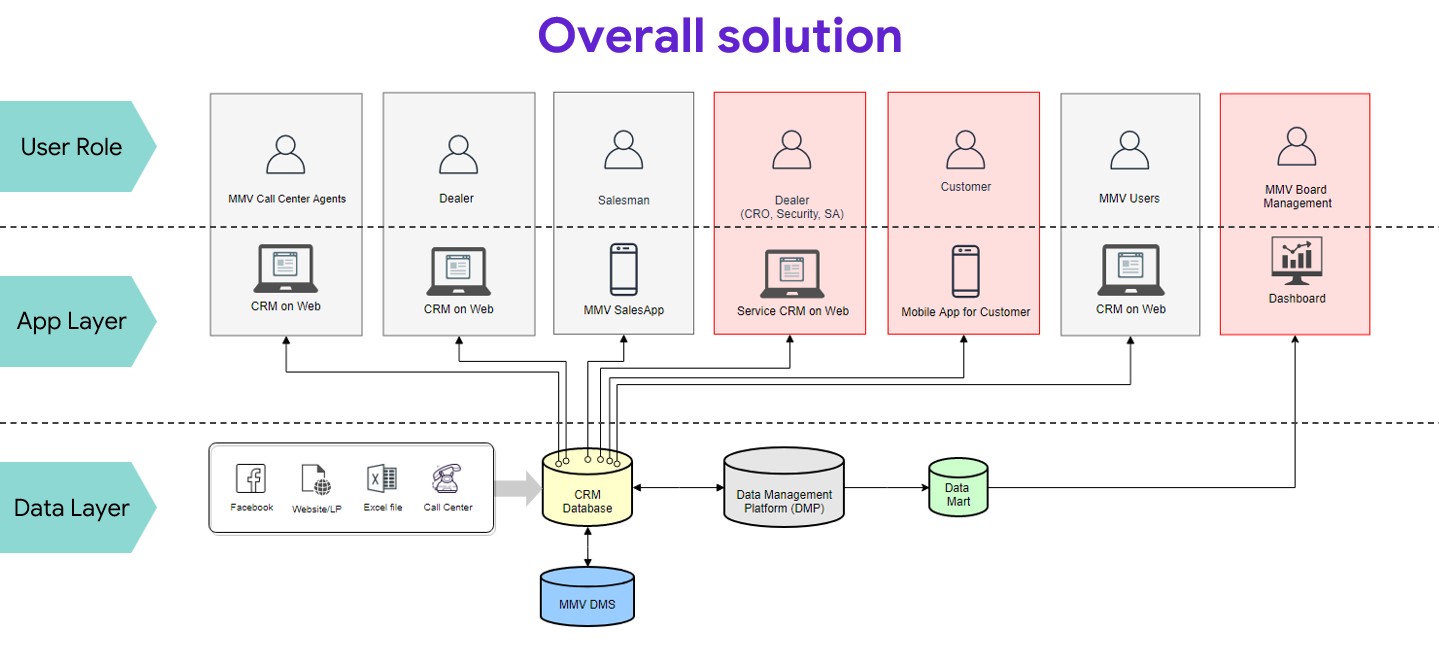
A customer enquiry passes through marketing, the call centre, a dealer and a salesperson. After the sale, that relationship continues through vehicle care, service appointments and maintenance.
Twin’s work connected these activities through web and mobile applications, with different views for the people involved. The architecture links customer and vehicle records with MMV’s Dealer Management System (DMS), while a separate data layer supports reporting.
Manufacturer teams
Customer oversight, dealer activity and management views.
Sales teams
Lead allocation, customer follow-up, orders and daily work.
Service teams
Appointments, vehicle reception, workshop progress and feedback.
Vehicle owners
Vehicle information, service history, dealer access and bookings.
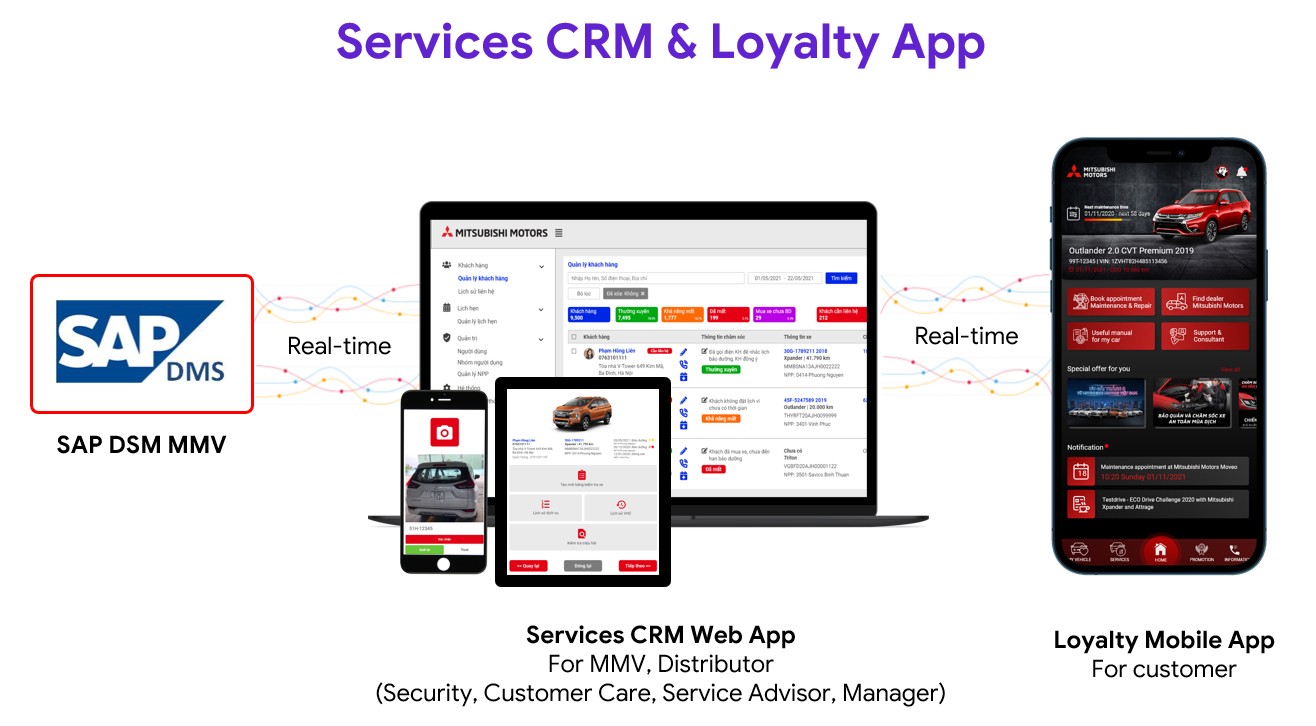
Connecting SAP DMS with the service CRM and customer app
The service architecture shows the link between the dealer’s operational system, staff applications and the vehicle owner’s mobile app.
01 · Sales and customer management
From the first enquiry to a vehicle order
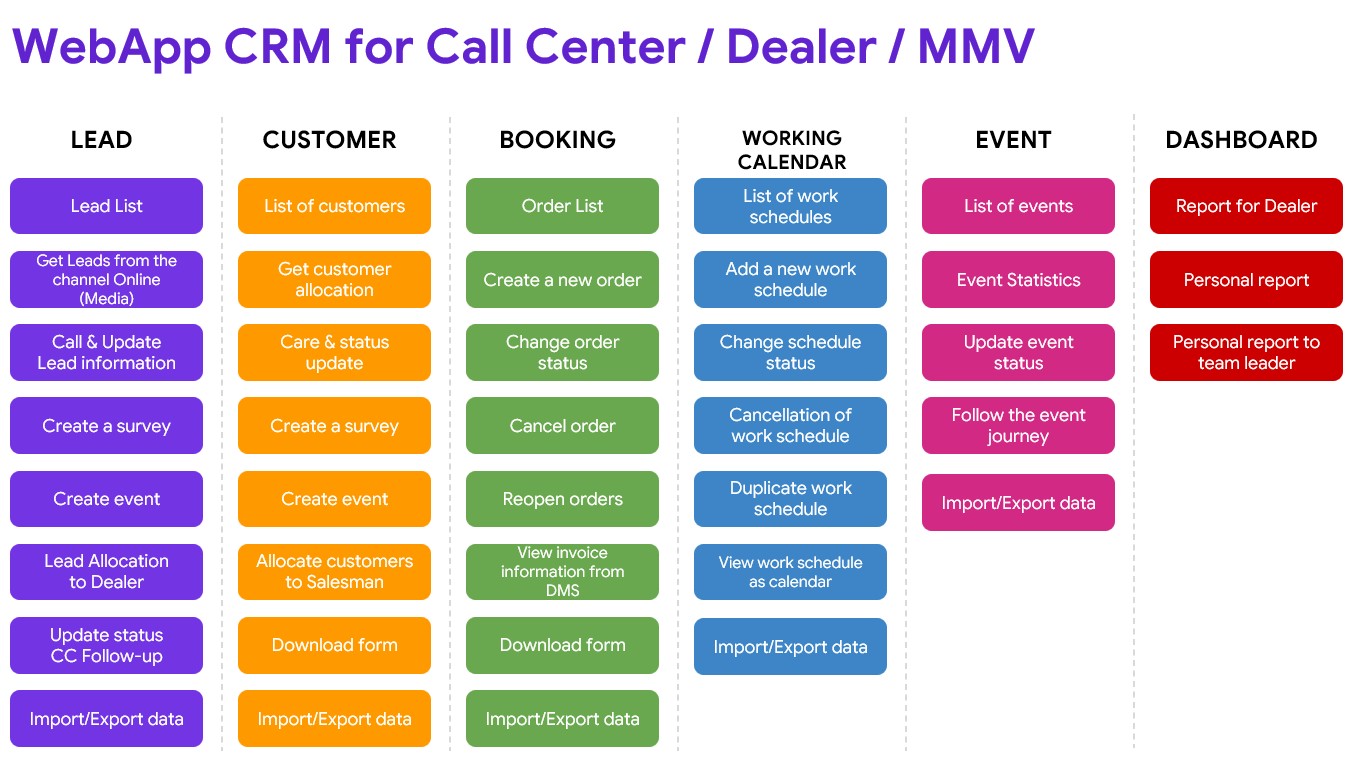
The sales CRM gives the call centre, dealers and sales staff a shared workflow for receiving enquiries, assigning customers, recording follow-up and managing orders.
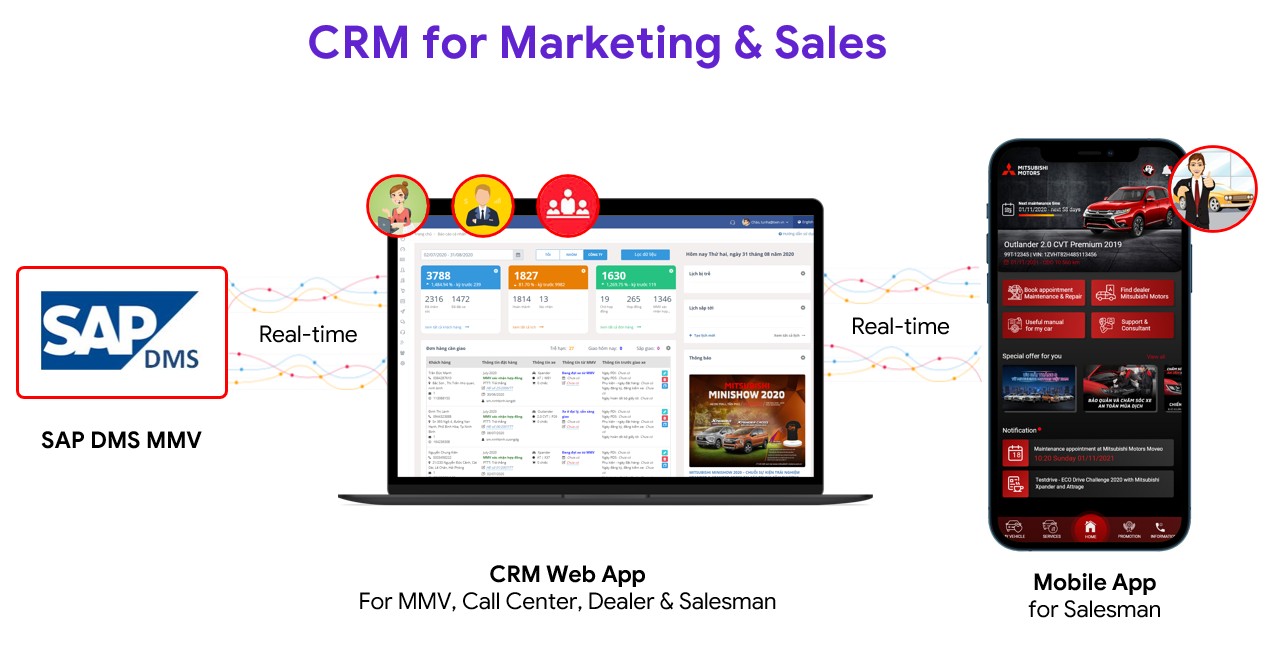
- Capture and assign leadsBring in online enquiries, record calls and surveys, and allocate leads to dealers.
- Keep customer follow-up visibleAssign customers to salespeople and record contact activity, interests, events and status.
- Manage orders and schedulesCreate and update orders, view DMS invoice information and organise work calendars.
- Give each role a useful viewSupport personal, team leader and dealer reporting within the sales workflow.
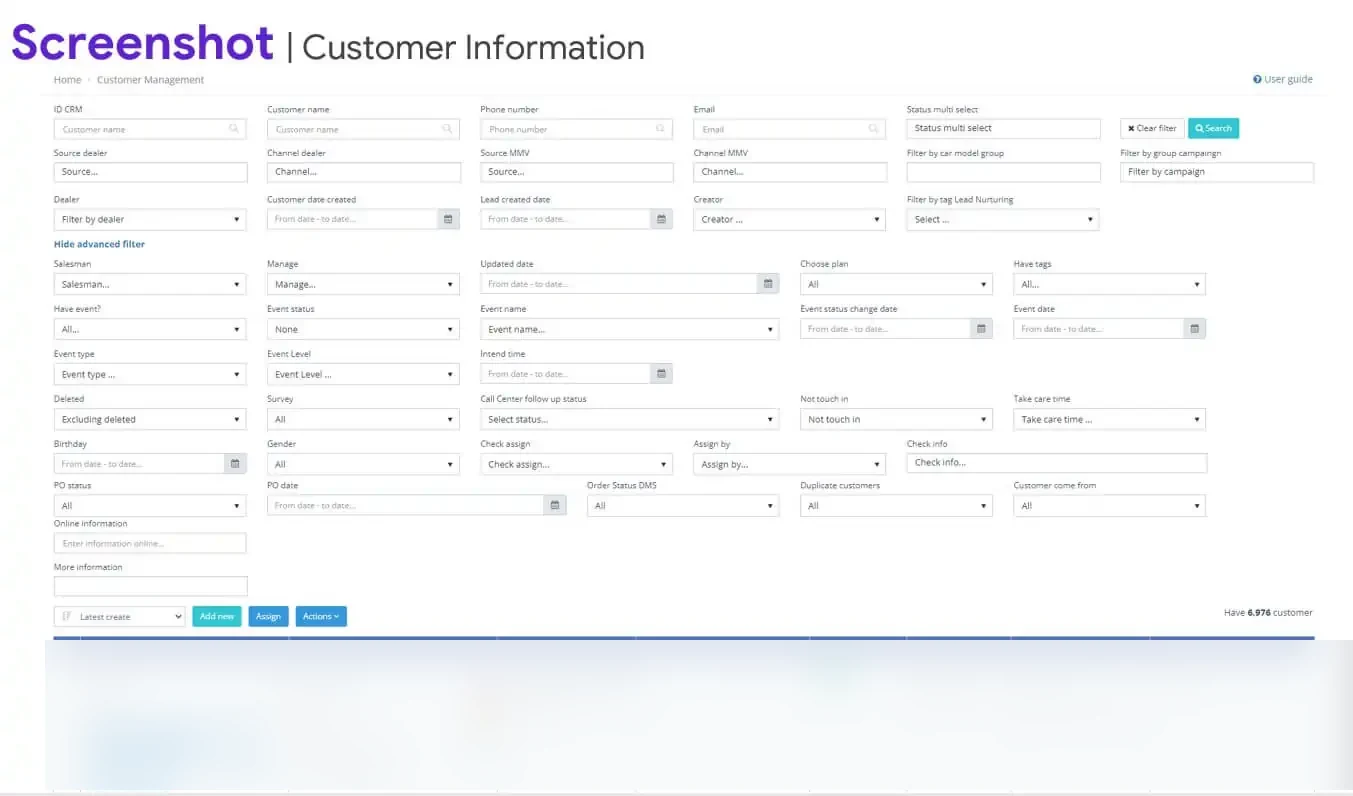
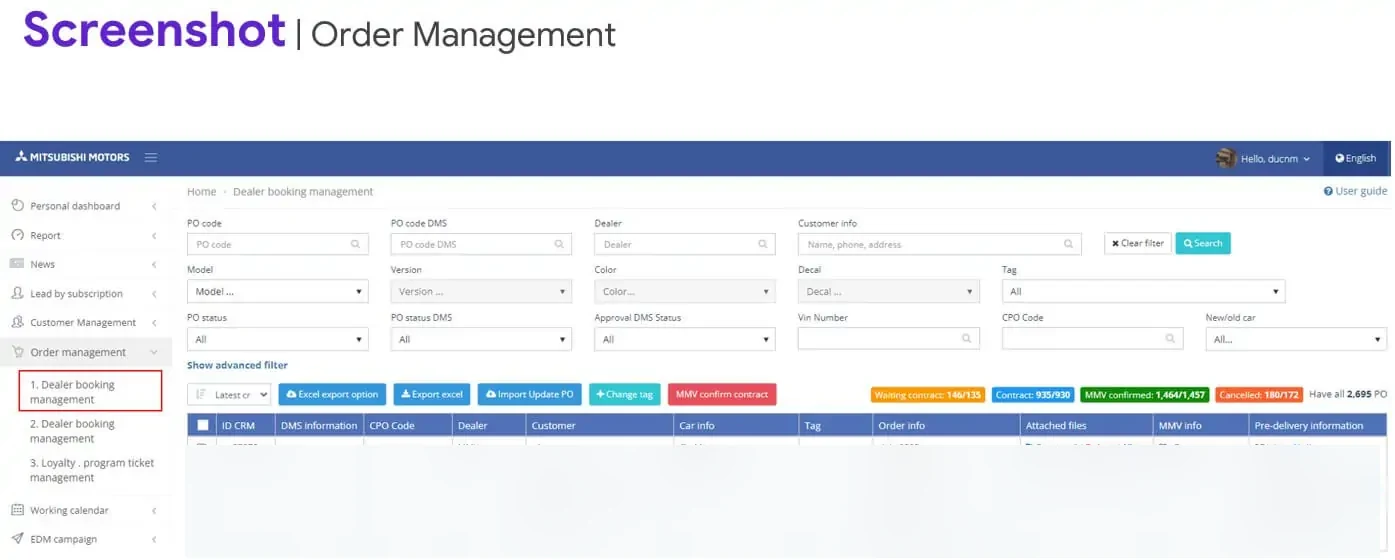
Customer information and order control
Staff can filter customer records, follow the status of an order and refer to the information needed for the next action.
Mobile CRM for sales staff
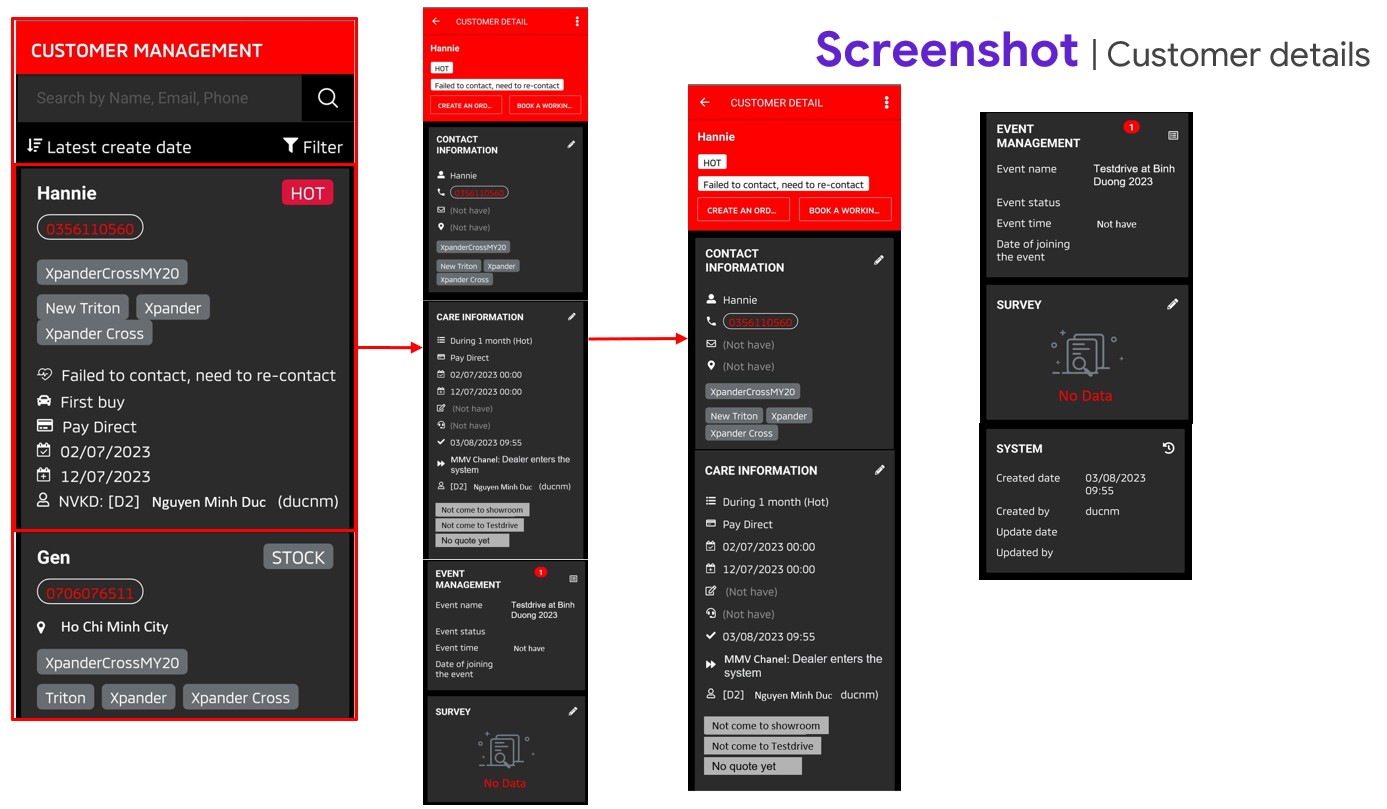
Customer follow-up goes with the salesperson
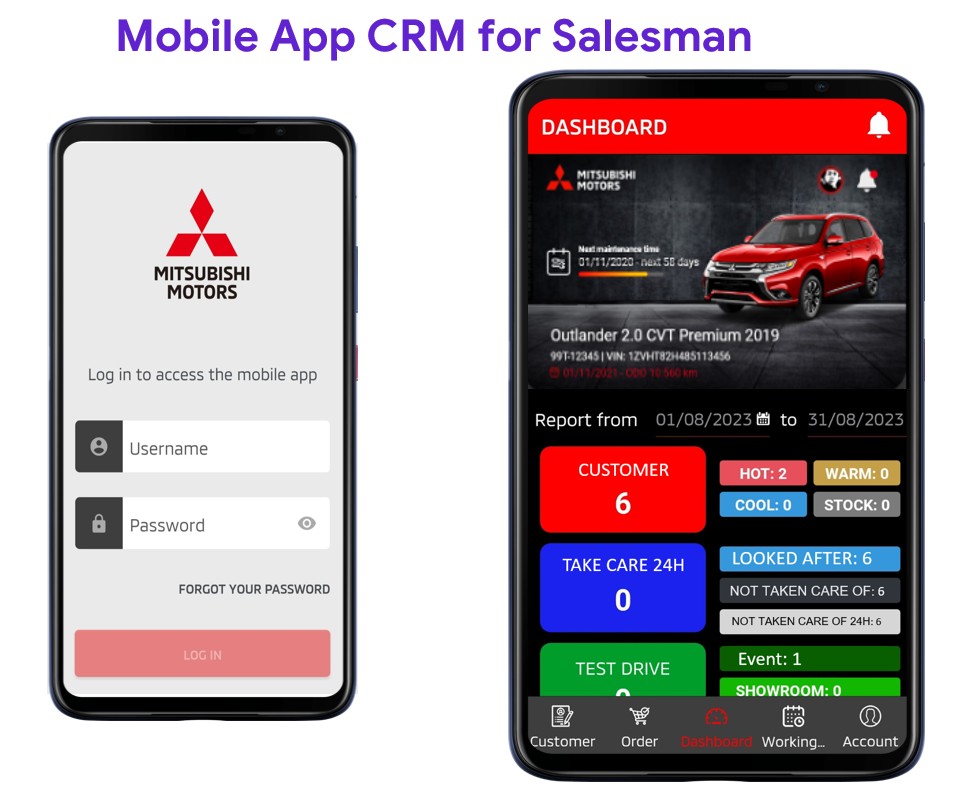
The mobile app supports customer records, care activity, appointments, events and orders. Sales staff can see the customer’s status and next action while working away from a desktop.
A practical daily view
See the work that needs attention
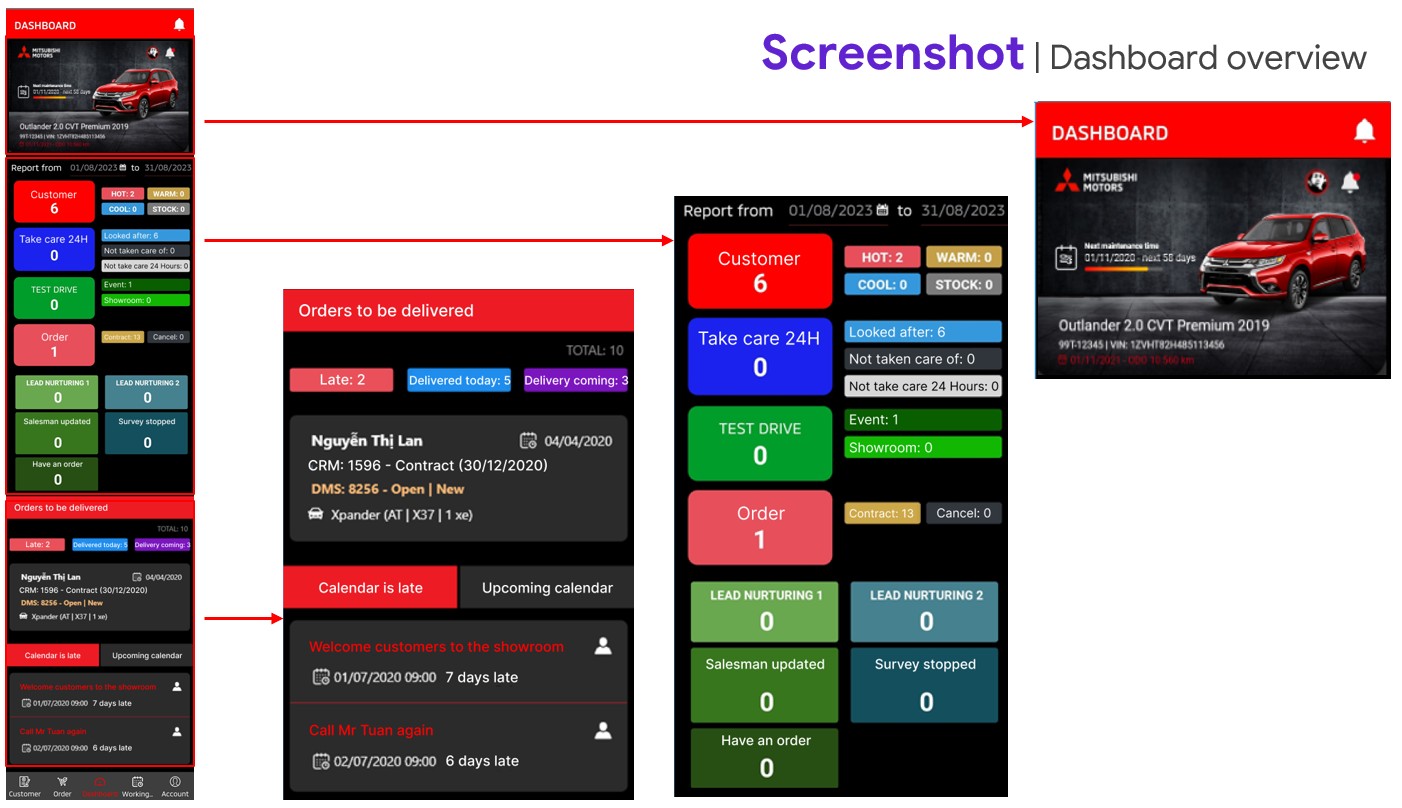
The mobile dashboard puts customer status and activity alongside orders awaiting delivery and overdue calendar items.
- Hot, warm and cool customer status.
- Follow-up and customer care activity.
- Orders due for delivery and late deliveries.
- Upcoming work and overdue appointments.
Beyond the vehicle sale
The customer relationship continues in service
Vehicle ownership brings a different set of daily tasks: maintenance reminders, booking a visit, receiving the vehicle, tracking repair progress and following up afterwards. The service CRM connects the staff responsible for each stage.
02 · Dealer service operations
The service journey, from reminder to follow-up
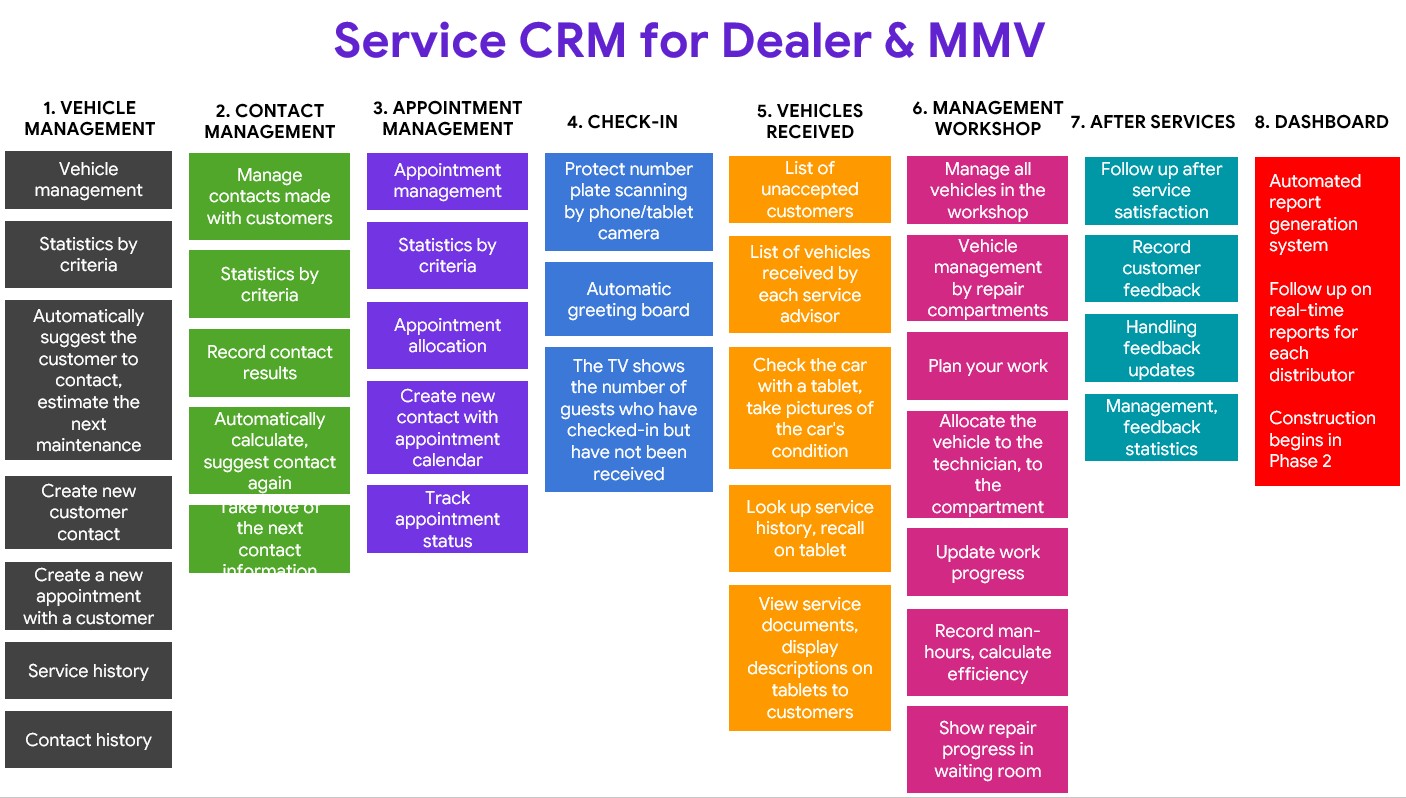
The journey map brings the whole visit into view: who contacts the owner, how the vehicle arrives, what happens in the workshop and how the customer hears about progress.
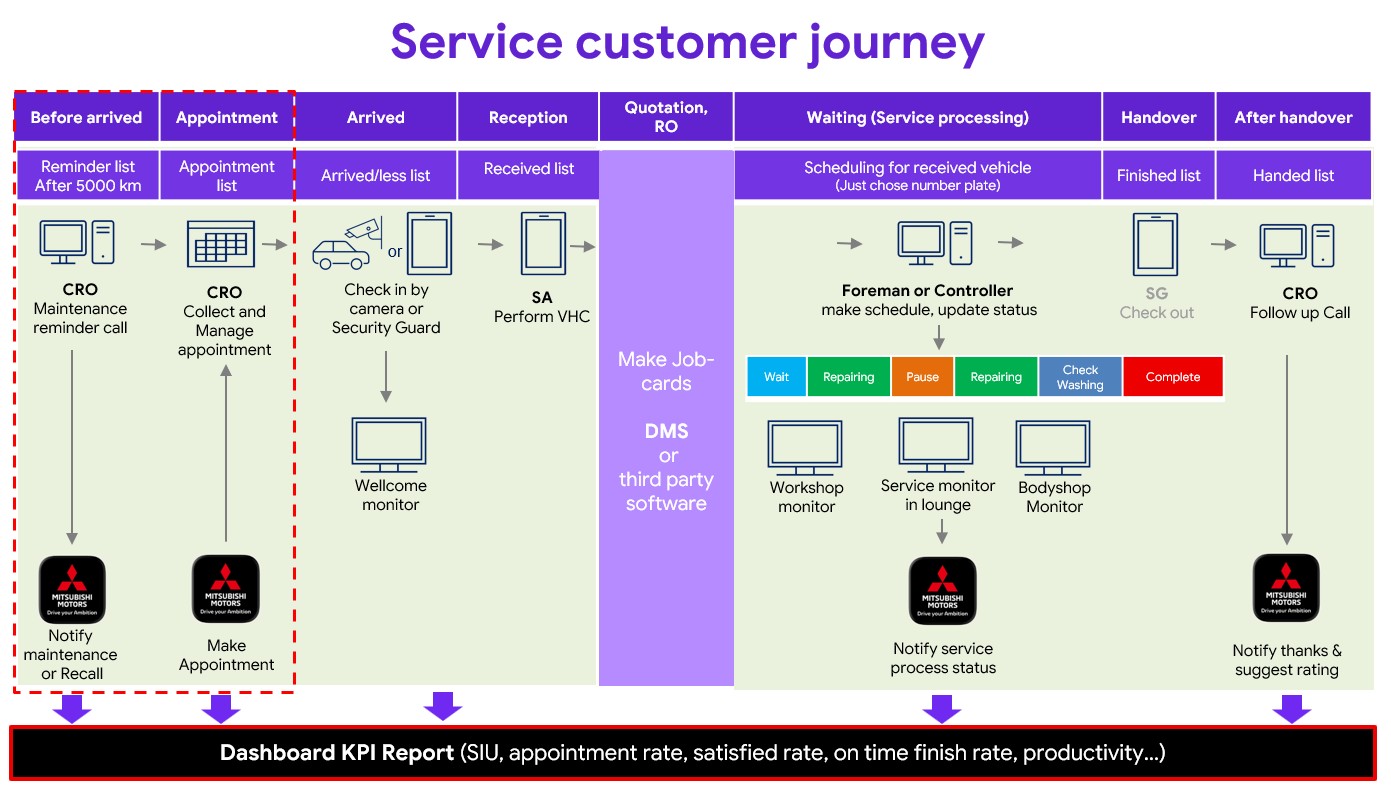
Before arrival
Customer care teams manage maintenance reminders, recalls, contact lists and appointments.
At the dealership
Staff check the vehicle in, receive the customer and carry out the vehicle health check.
In the workshop
Teams schedule the vehicle, update repair stages and show progress on workshop and waiting-room monitors.
After handover
Follow-up calls, thank-you messages, ratings and feedback continue the customer care process.
The tools behind the service journey
Different service roles, one coordinated workflow
The service CRM covers vehicle and contact records, appointments, arrival, vehicle reception, workshop activity and after-service care. Staff can work from the customer and vehicle history relevant to their role.
Mobile tools for dealership staff
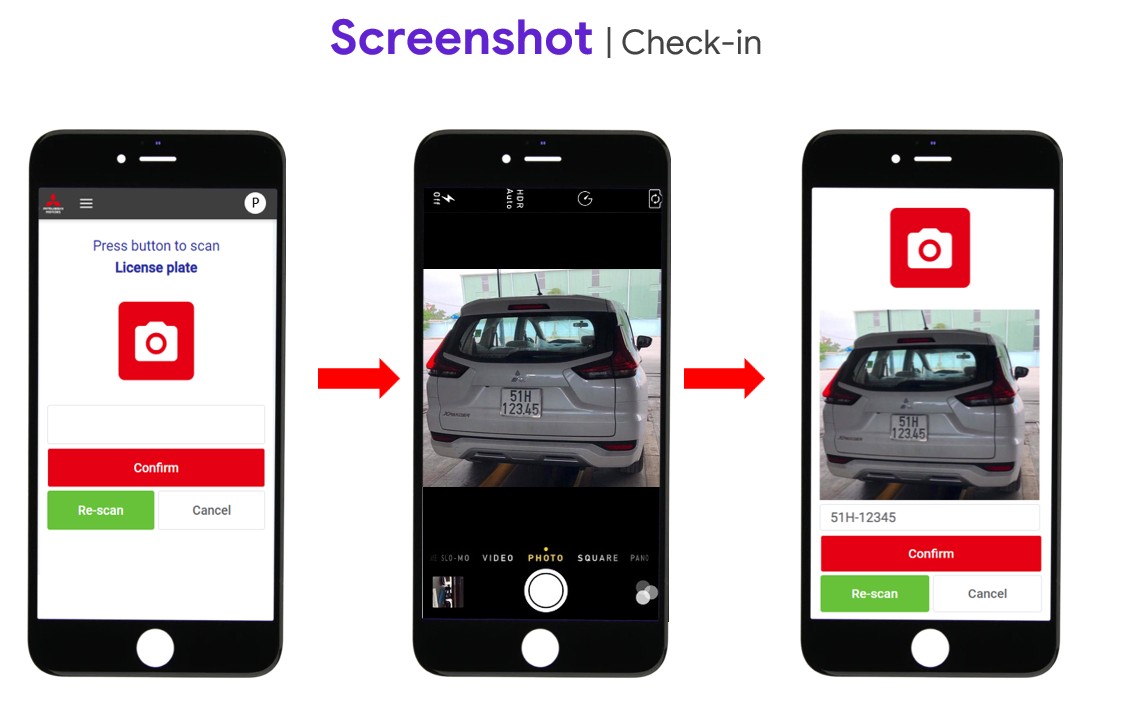
Check in a vehicle with a phone camera
The check-in flow lets staff scan a number plate, review the captured vehicle image and confirm arrival. It sits at the start of the reception and workshop process.
This is a staff workflow within the service programme. The vehicle owner’s app provides a separate set of functions for bookings, vehicle information and service history.
03 · The vehicle owner’s app
A direct connection to the vehicle and the dealer
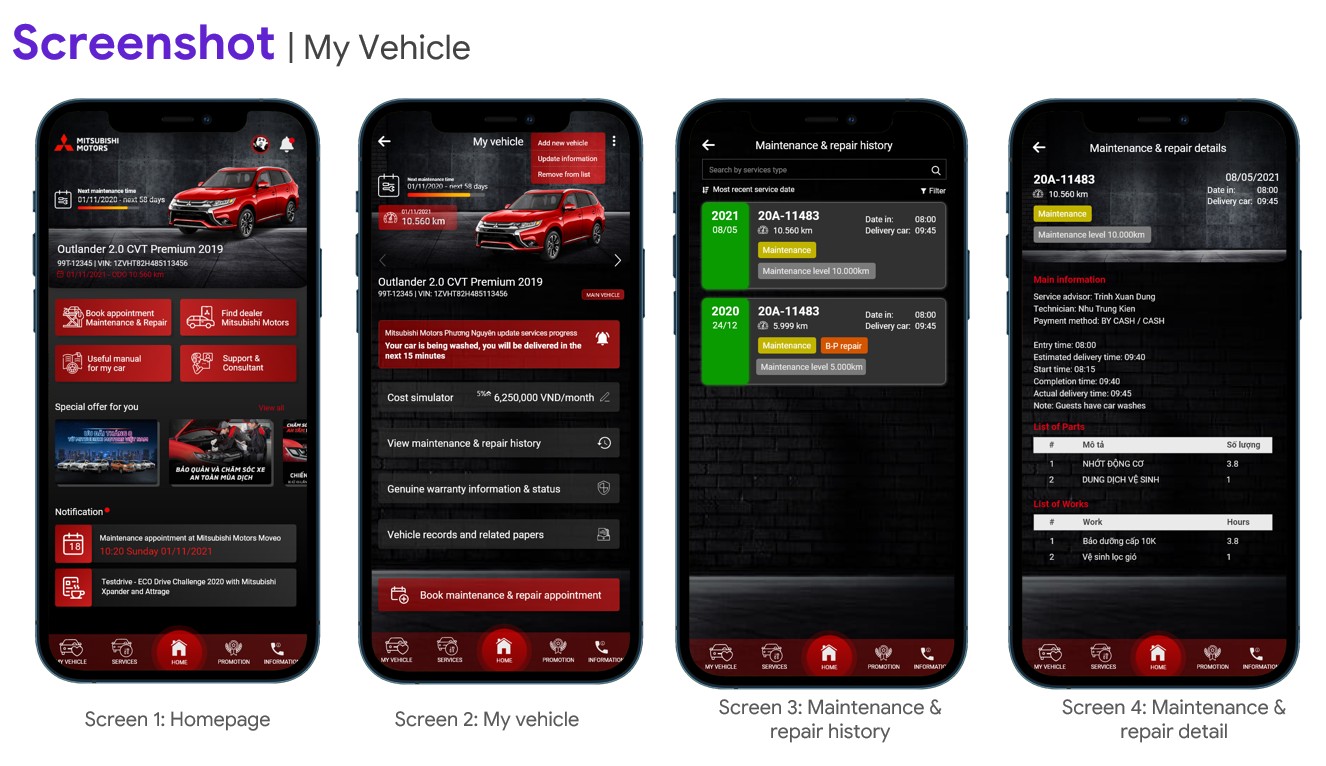
The customer app gives owners a place to view their vehicle, check maintenance and repair history, find a dealer and book a service visit.
It extends the service workflow to the owner’s phone, with reminders, notifications and access to customer support.
Vehicle care, useful services and customer support
The app feature map groups the ownership experience around caring for the vehicle, arranging services, finding information and accessing loyalty benefits.
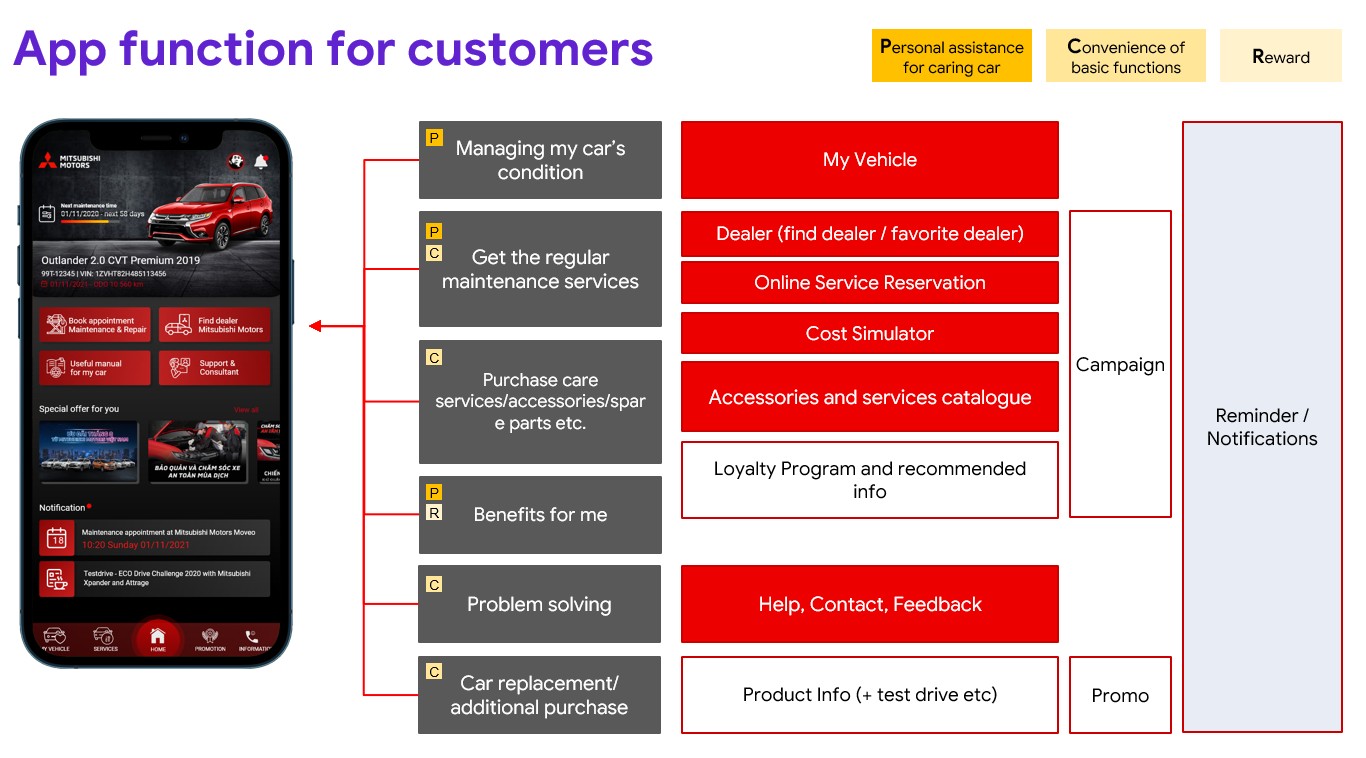
Keep the vehicle record handy
Vehicle details and service history are available from the owner’s phone.
Arrange the next visit
Dealer search and online reservations give owners a direct route to a service appointment.
Stay in contact
Reminders, support and feedback functions connect owners with ongoing care.
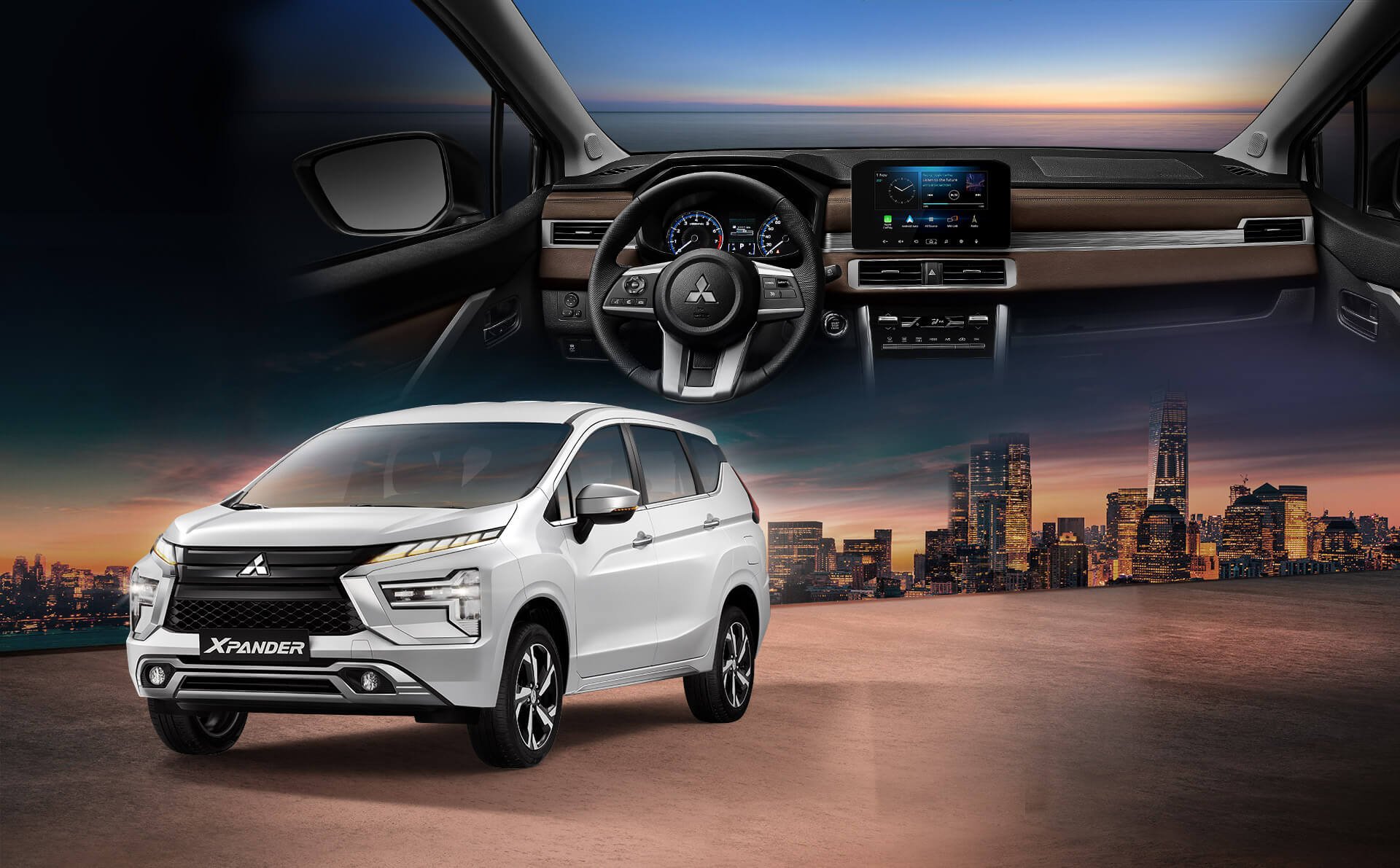
Mitsubishi Connect+
Supporting the ownership experience
The customer-facing app brings vehicle care and dealer contact into the same mobile experience. It is the owner’s connection to the wider service programme.
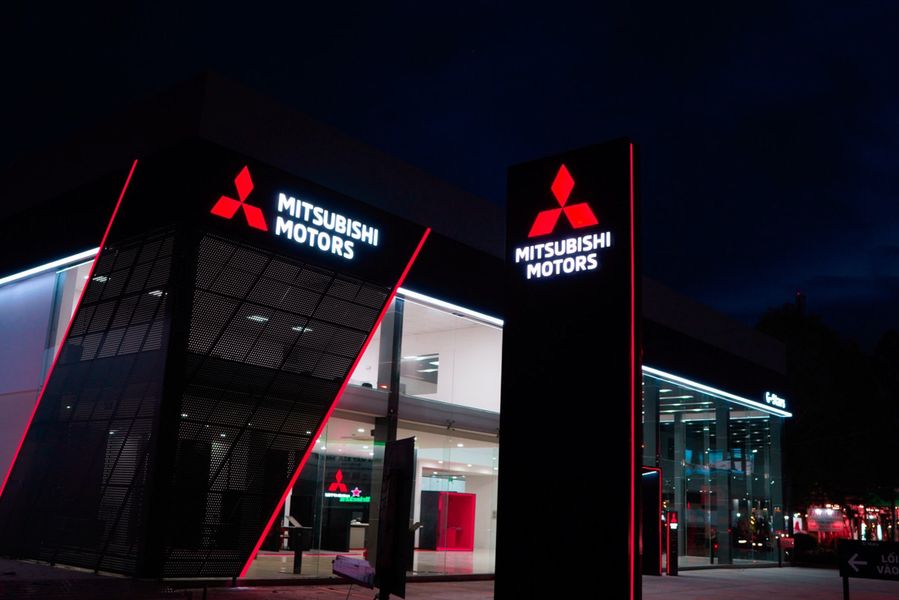
The current Mitsubishi Connect+ owner app has a 100K+ Google Play download band, checked 26 October 2026. This public product figure relates to the owner app, separate from the internal sales and service applications shown in this story.
04 · Reporting and management views
Make customer and sales activity easier to review
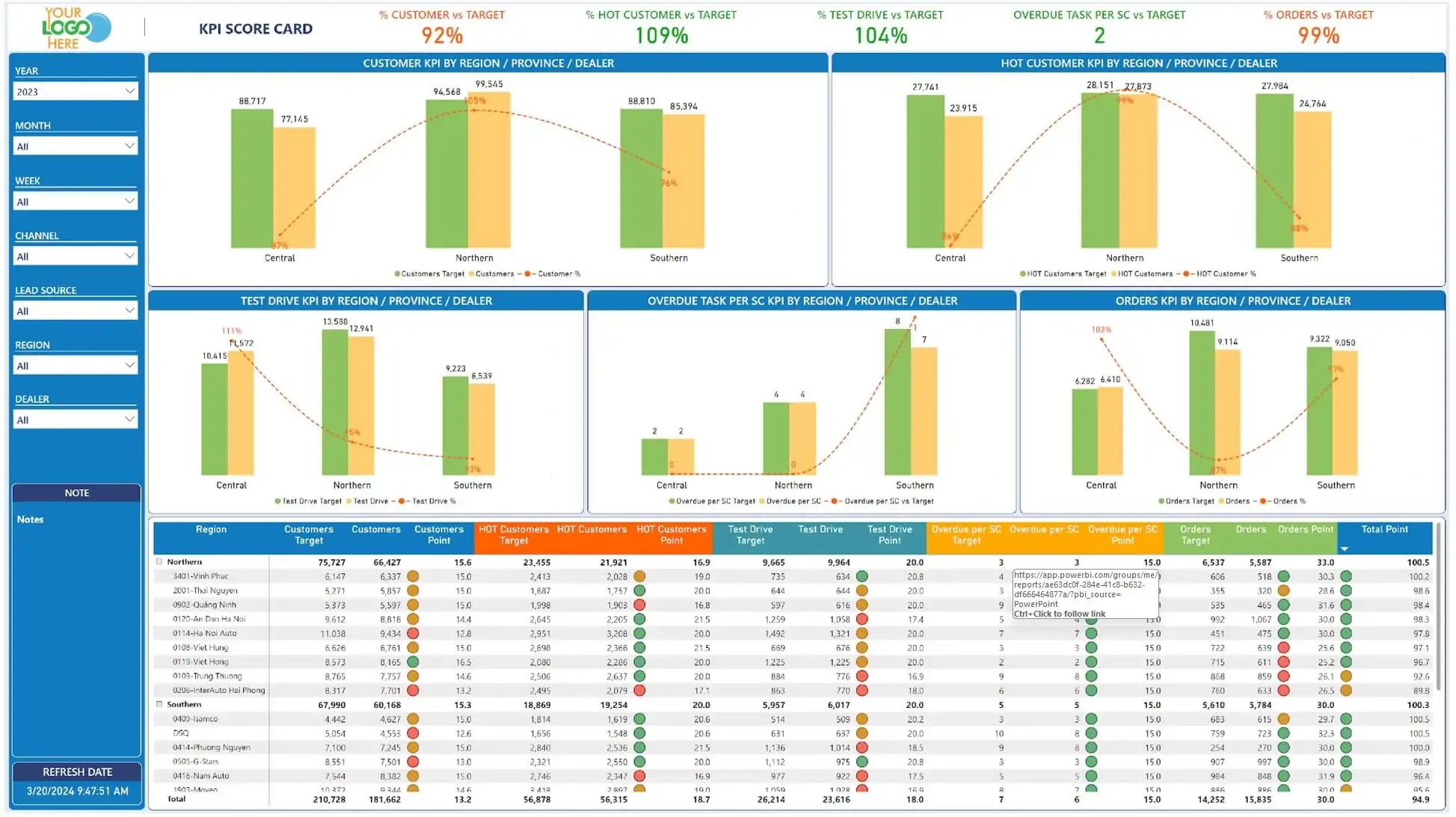
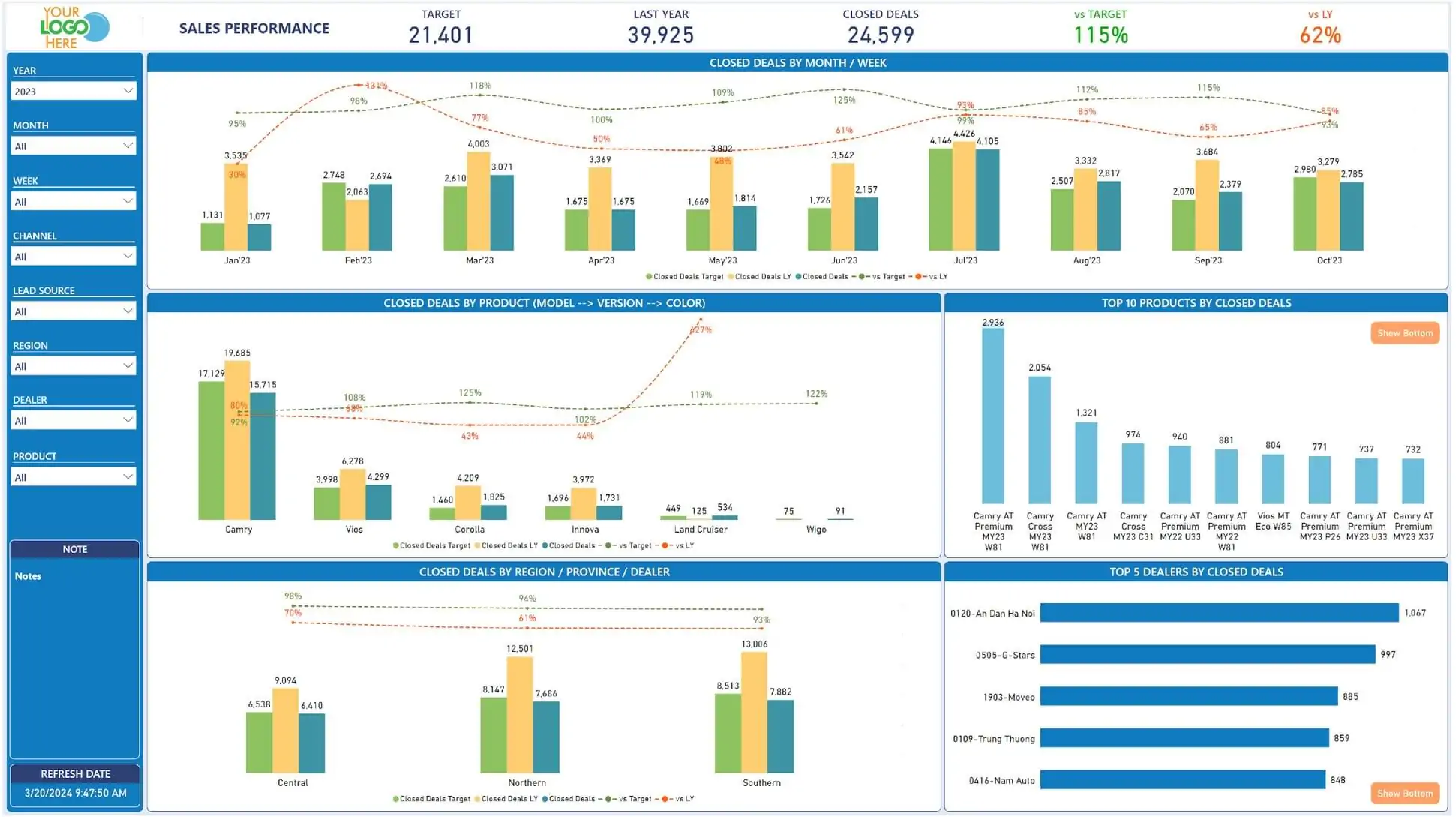
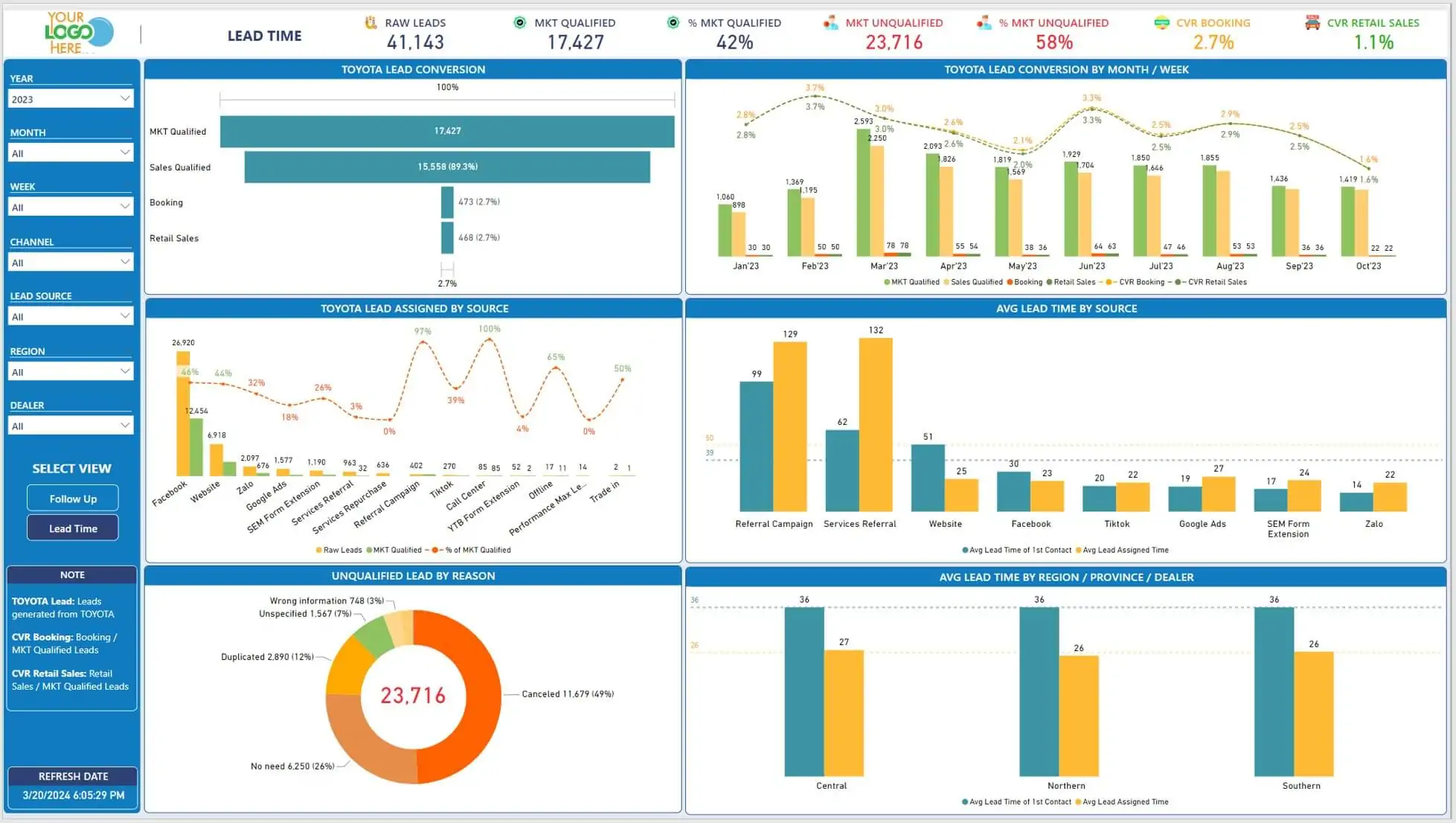
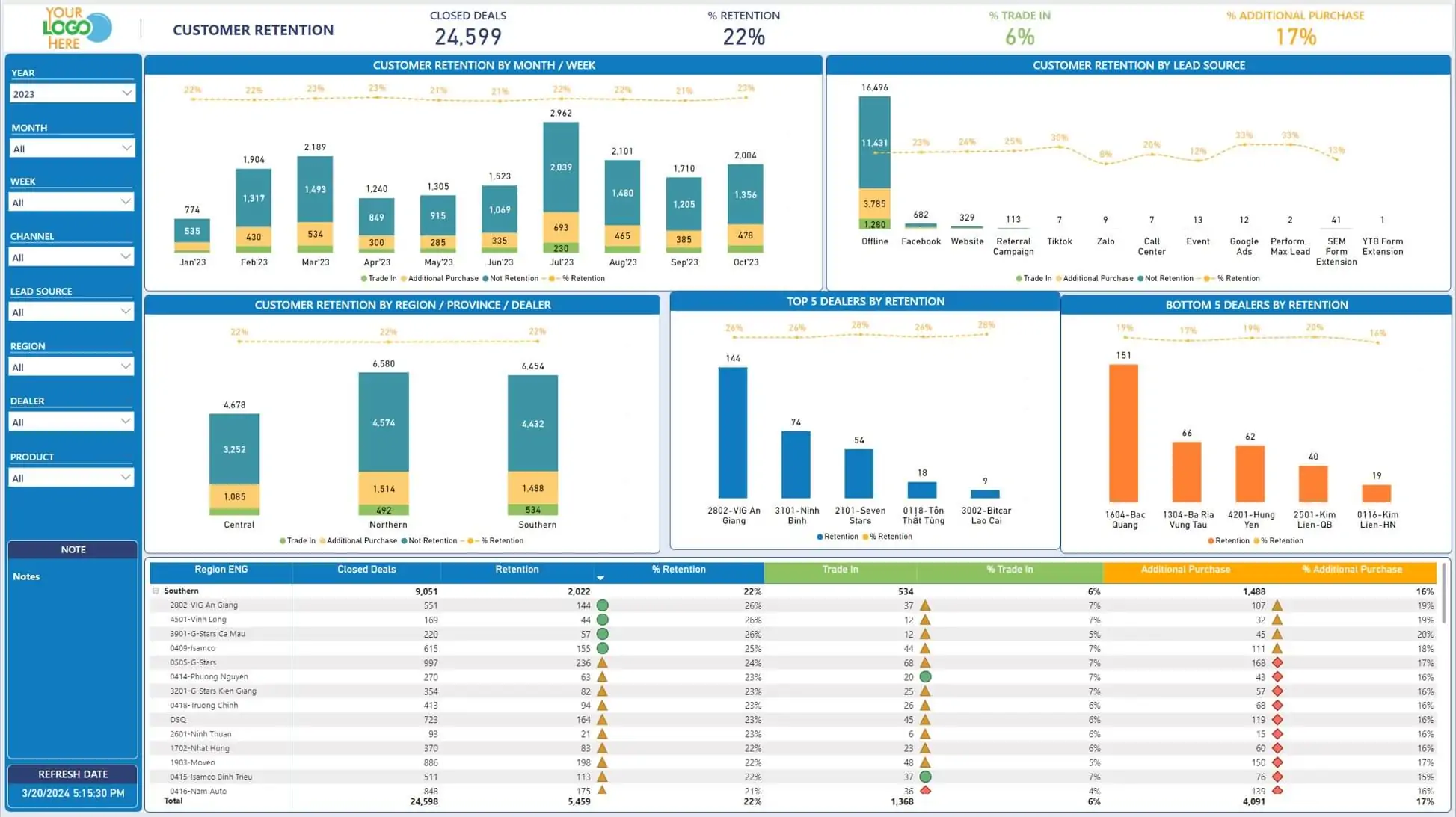
The sales programme includes personal, team leader and dealer reports, and the mobile app shows daily operational indicators. The dashboard references below illustrate broader ways to review KPIs, sales, lead handling and retention.
Project value
A connected working journey for dealers, staff and owners
Sales teams could carry enquiries, customer records and vehicle orders through a CRM workflow connected with the SAP Dealer Management System. The service journey extended that relationship into reminders, bookings, workshop work and follow-up.
Staff mobile tools and the owner app gave each audience an appropriate way to act on that information. For the business, the value was continuity across the dealer operation; for owners, it was a direct digital connection to their vehicle and service relationship.
What the project demonstrates
Building the applications around a complex dealer operation
The programme connected the enquiry and allocation work of sales teams with the vehicle and appointment records used in service. Staff had applications suited to their daily responsibilities, while owners had a separate mobile route into vehicle care. The engineering breadth lay in coordinating these roles around customer and vehicle information and an existing dealer system.
- Workflows for different roles. The call centre, salesperson, service advisor and vehicle owner each need a different view of the same relationship.
- Integration with SAP DMS. Customer applications connect with the dealer’s operational records and processes.
- Continuity after the sale. Vehicle history, service appointments and customer follow-up carry the relationship into ownership.
Talk to Twin
Bring your sales and service workflows together
If your teams work across dealers, locations or separate systems, talk to us about the customer records, daily tasks and integrations your platform needs to support.