
Health check-up appointments
A separate health check-up booking flow lets patients choose the location and date, select a time slot and confirm the appointment. They can return to choose another slot before submitting.
Customer story · Patient services in Vietnam
Twin built DYM Medical’s app so patients in Vietnam could book a clinic visit, show a check-in QR code and return to their results. Verified account linking gives users access to the records for themselves and family profiles connected to their account.
About DYM Medical Center Vietnam
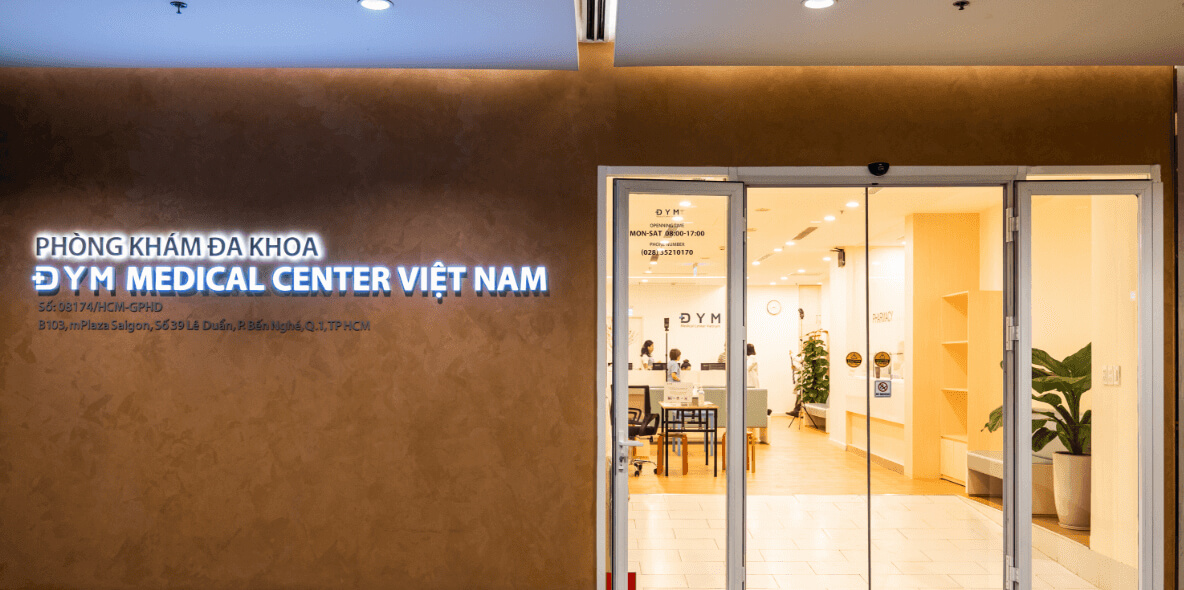
DYM Medical Center Vietnam is a Japanese-backed healthcare provider with three clinics: Saigon, Phú Mỹ Hưng and Hanoi. Its Japanese and Vietnamese medical teams provide outpatient care and health examinations for individuals, families and corporate customers.
The business is part of the Tokyo-based DYM Group, founded in 2003. Its Vietnam expansion gives the application a practical role across a multi-clinic service: helping a patient arrange a visit, connect the right medical profile and return to results afterwards.
Client background checked 26 October 2026. Clinic figures describe the current business.
From booking to records
Patients could choose a clinic and appointment, complete pre-visit questions, show a check-in QR code and return to results afterwards. Verified patient linking and controlled family connections determined whose records they could open.
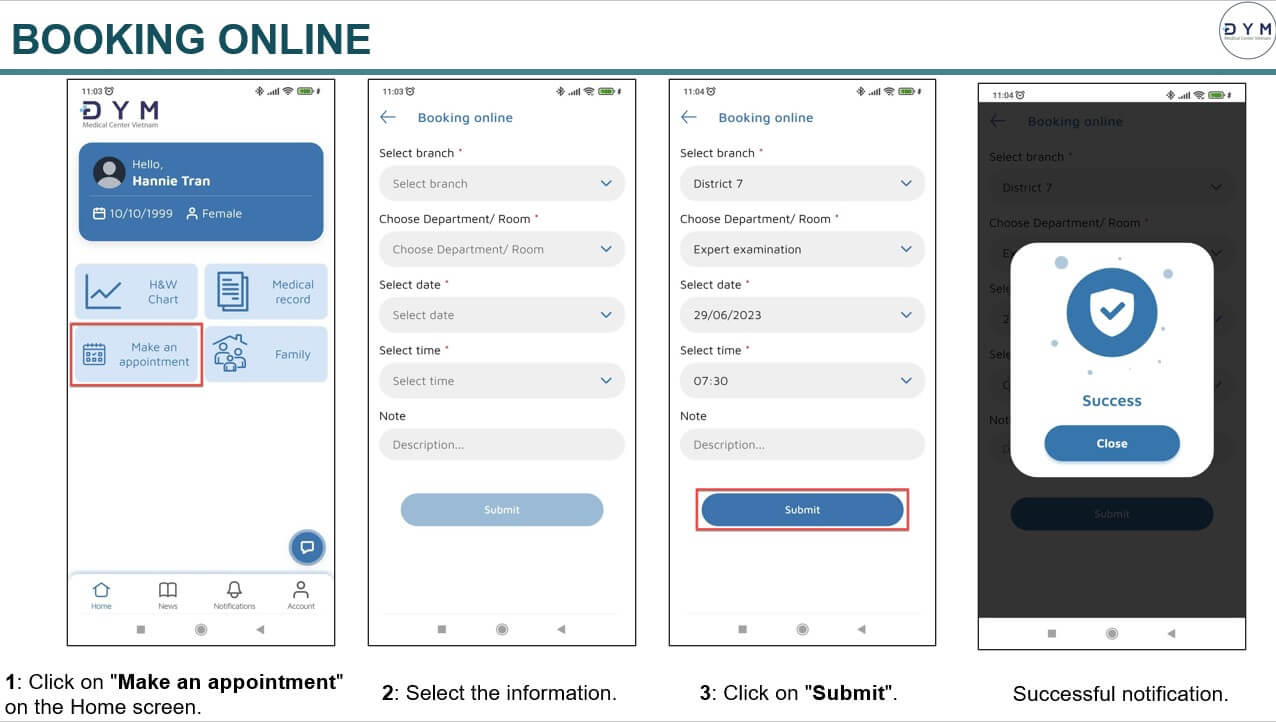
The patient chooses a clinic, department, doctor and time.
See this stage in detail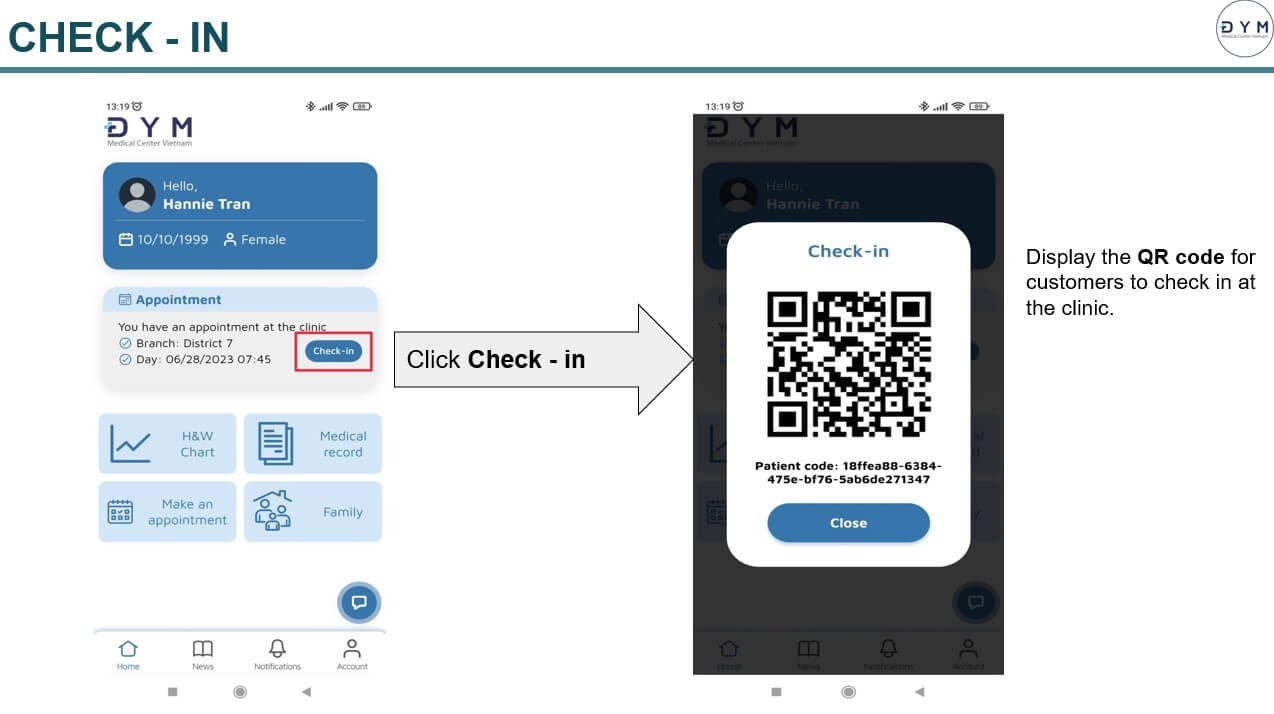
The patient displays the QR code from the app.
See this stage in detail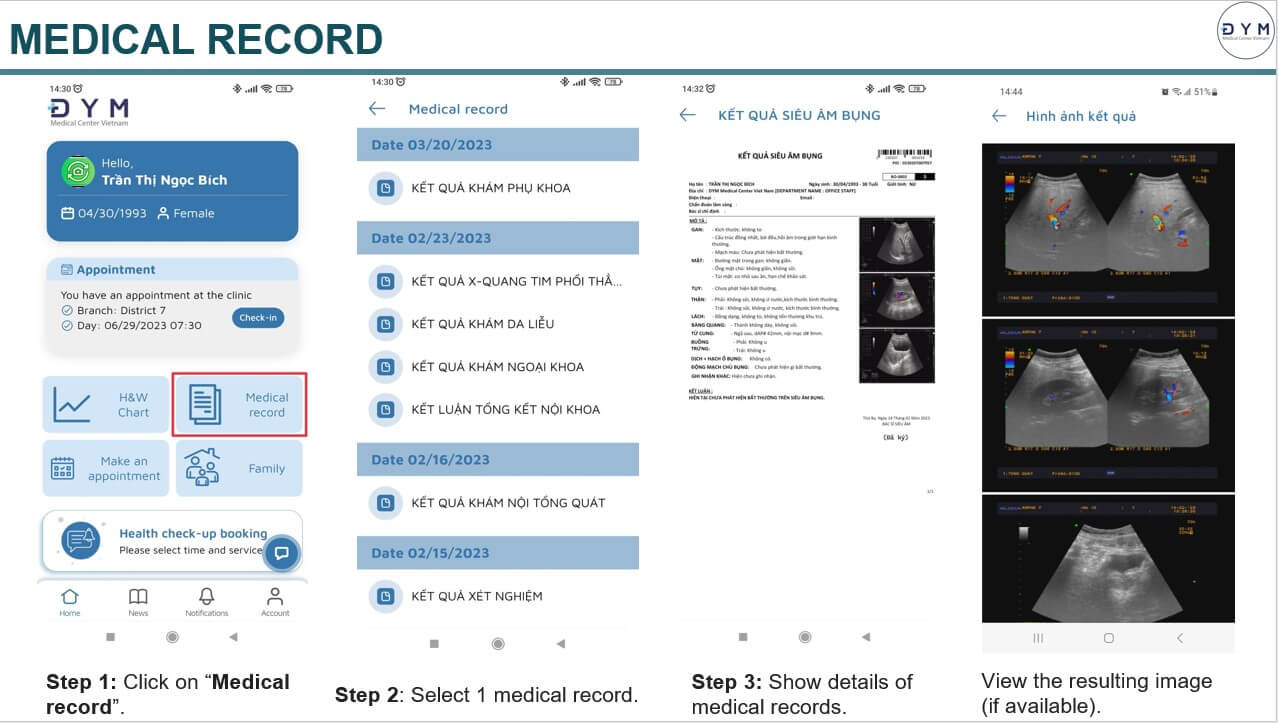
The linked patient can open a dated record and associated result details.
See this stage in detail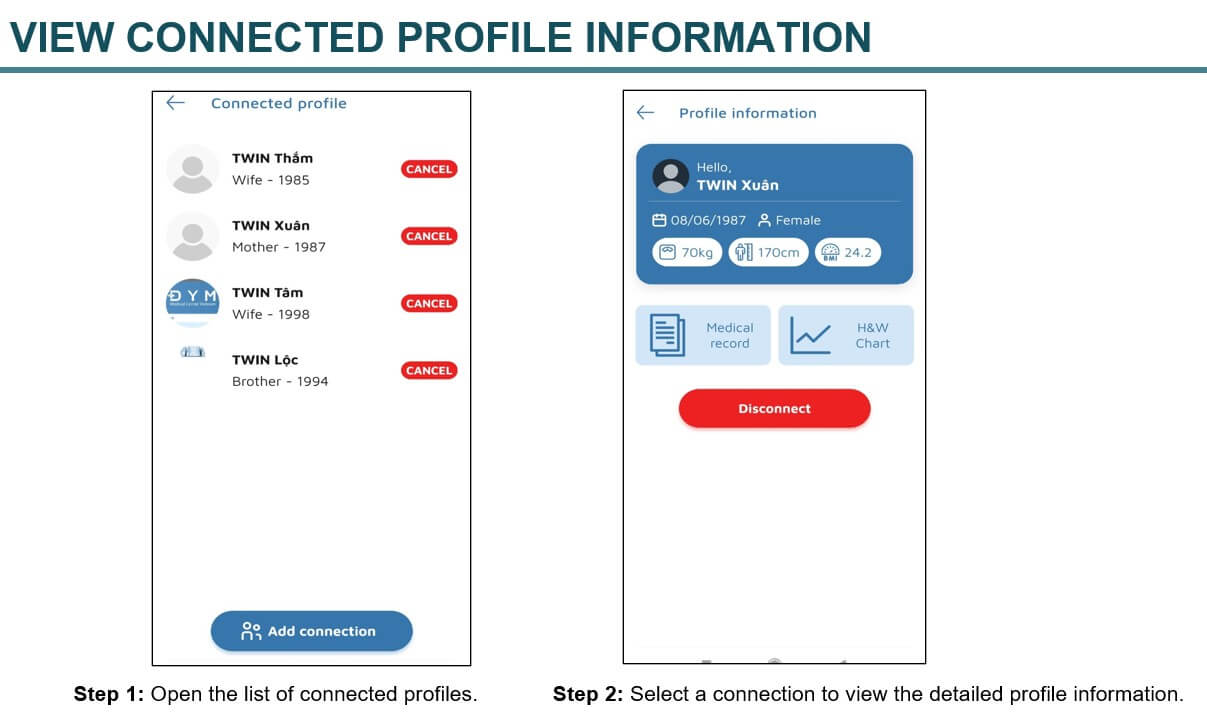
The app shows records and charts for the selected connected profile.
See this stage in detail
The service behind the application
The delivered application gave patients a continuing digital route into DYM’s clinic services. Appointment details, results and connected family records remained accessible from the patient’s phone between visits.
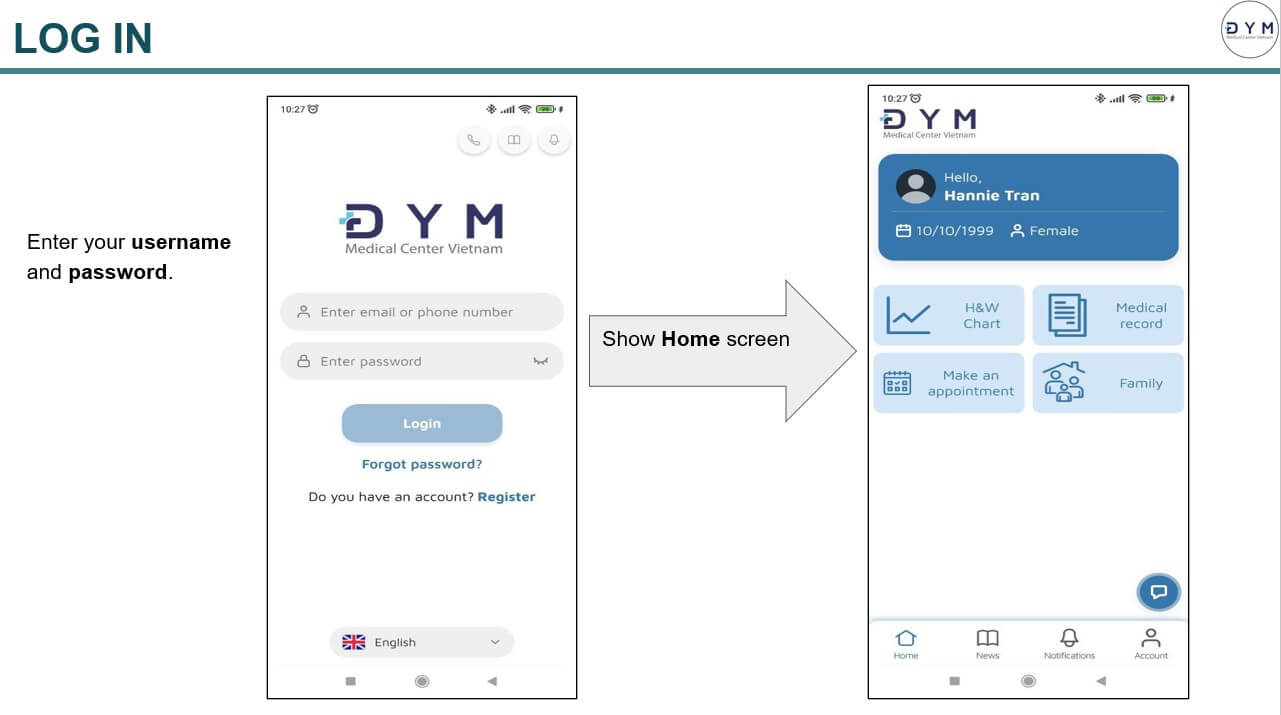
The detailed walkthrough follows DYM’s original delivery guide. Account creation, patient linking and access to another person’s records remained separate controls.

01 · Account access
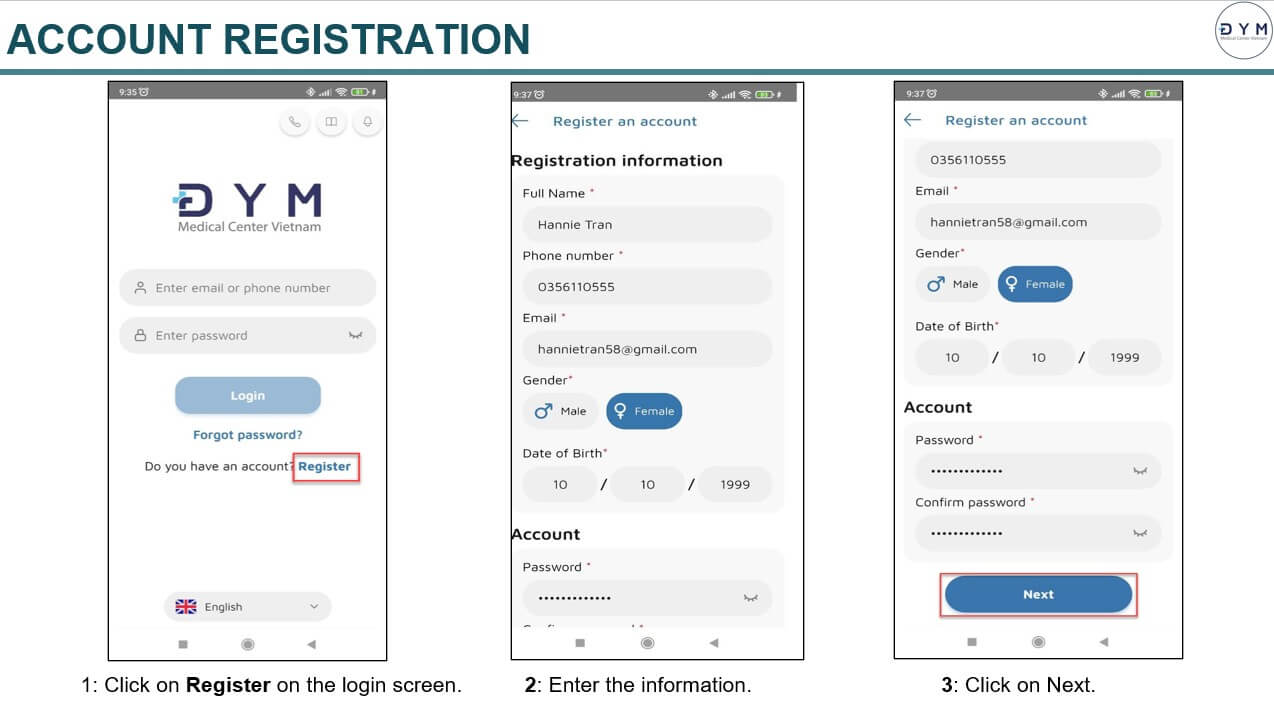
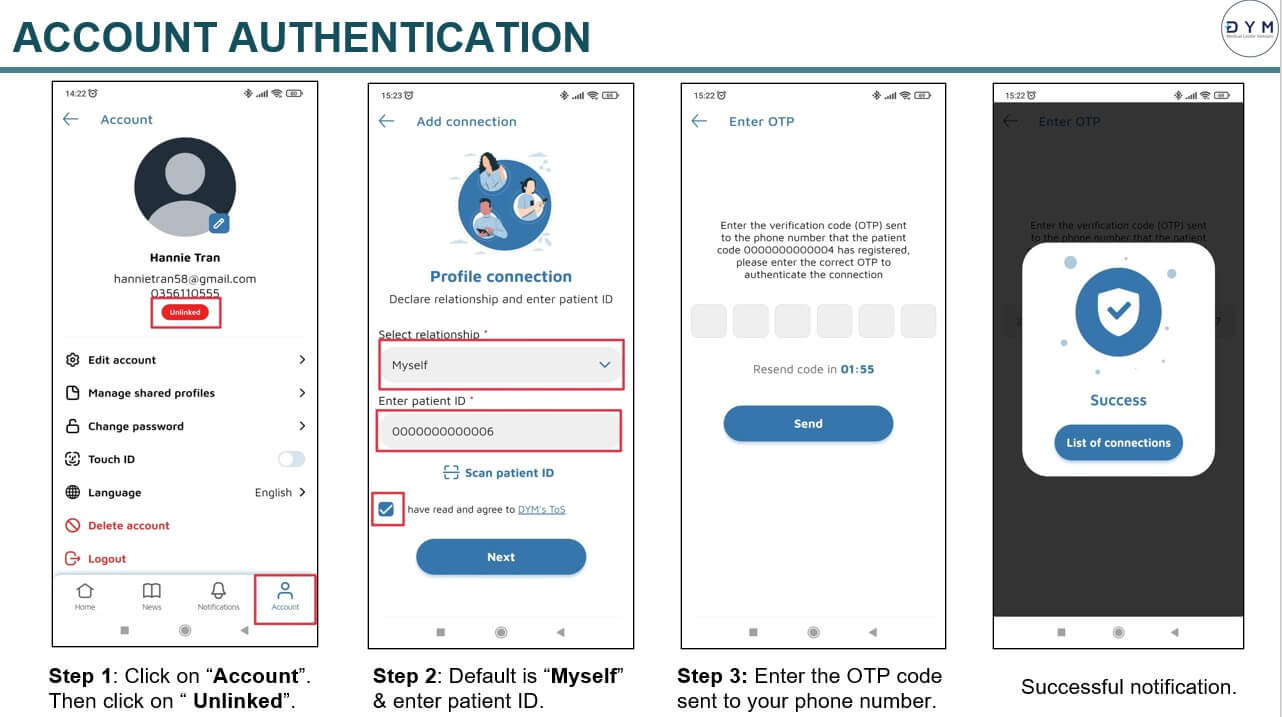
The guide separates phone-verified registration from linking a patient ID. A one-time password (OTP) check forms part of the linking process.
02 · Before and at the clinic
The appointment journey covers choosing a clinic and time, submitting the booking and completing a pre-visit survey. At the clinic, the patient can display a QR code for check-in.
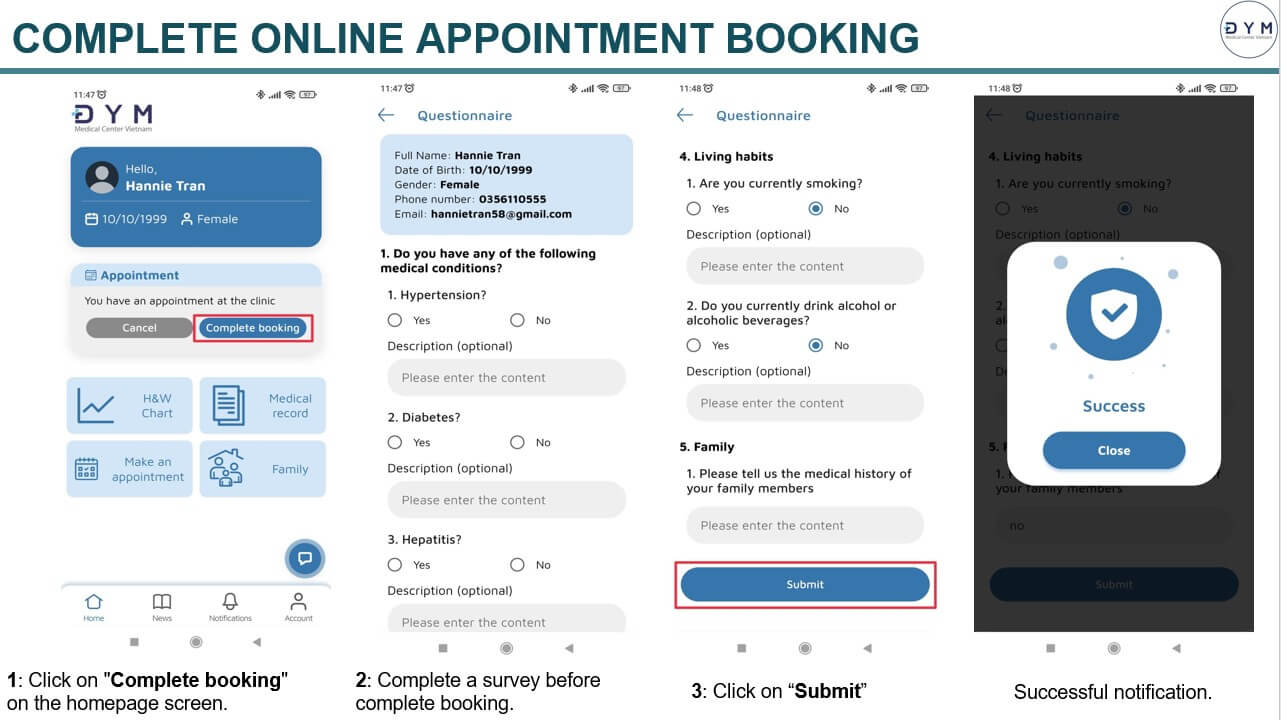
The “Complete booking” step asks the patient to complete a health survey before submitting the booking information.
A separate health check-up booking flow lets patients choose the location and date, select a time slot and confirm the appointment. They can return to choose another slot before submitting.
The guide also covers cancelling an appointment with confirmation. Booking history gives patients a way to return to earlier appointment activity.
03 · After the visit
Patients can open a medical record, read the result details and view associated result images where available. Height and weight charts provide a separate view of recorded measurements over time.
The H&W Chart function displays weight and height in separate charts, making earlier measurements visible within the same patient experience.
Patients can return to these records between clinic visits.
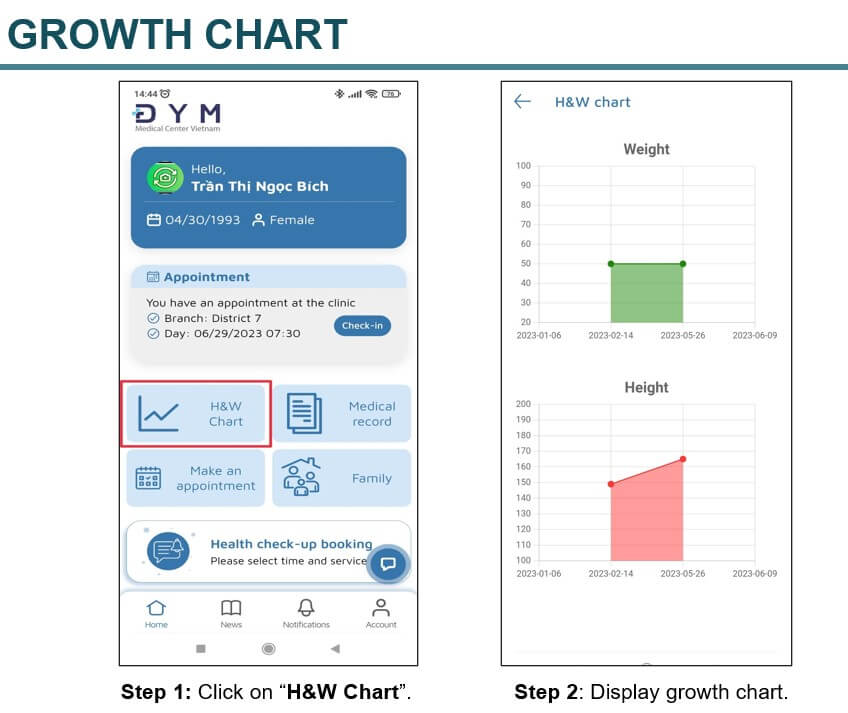
The H&W Chart view presents weight and height measurements as charts over time.
04 · Family access
The family function supports linking another patient profile to the account. The connection journey includes relationship details, a patient ID or QR scan and phone verification.
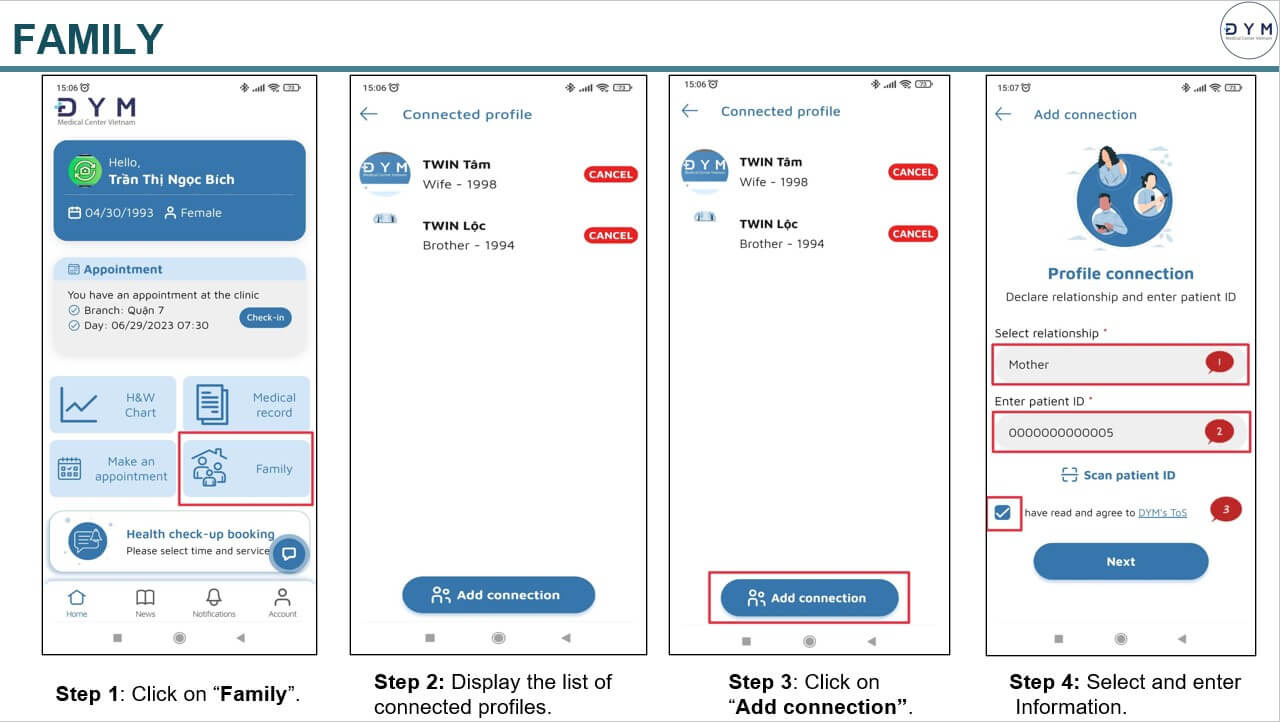
Patients can see their connected profiles and add a connection. The guide continues with QR scanning and OTP verification to complete the process.
A connected profile opens the family member’s information, with routes to medical records and height and weight charts.
Patients can disconnect a profile through a confirmation step. A separate shared-profiles list lets them review and cancel profiles they have shared.
05 · Ongoing service
The application also provides a place to read DYM’s published news and manage the account, including personal details, language and password settings.
The news section provides a list of articles, category selection and an article detail view. Patients can browse health information without leaving the app.
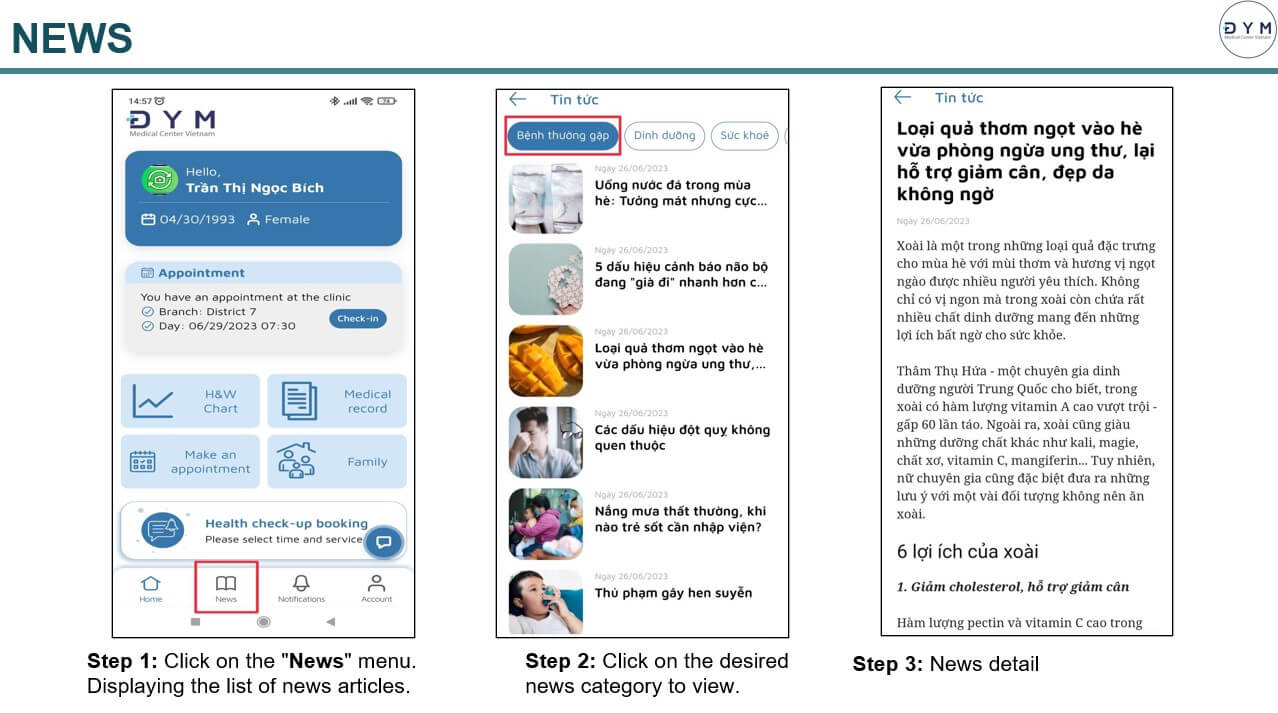
The news journey moves from the home screen to a category list and into the selected article.
About this project
DYM Medical Center Vietnam provides the clinic services and publishes the application on Google Play and the App Store. Twin developed the patient application.
The public Android listing shows a 10K+ download band, checked 26 October 2026. That is a measure of public app reach; the feature evidence on this page follows the original delivery guide. View DYM Medical on Google Play ↗
The feature descriptions and original screens on this page follow DYM’s English user guide dated 29 June 2023. The app may have changed since these screens were prepared.
View the public application listings.
DYM Medical on Google PlayDYM Medical on the App StoreProject value
Patients could arrange and complete the administrative steps around a visit, then return to their results through a linked account. Family access followed a separate connection and verification process.
For DYM, the app extended the clinic relationship between visits while keeping record access tied to the verified patient and family relationships.
Patient application development
Talk with Twin about the booking, record access and family profile journeys your service needs to support.