
Health check-up appointments
A separate health check-up booking flow lets patients choose the location and date, select a time slot and confirm the appointment. They can return to choose another slot before submitting.
Customer story · Patient services in Vietnam
Twin developed the DYM Medical mobile application for DYM Medical Center Vietnam, bringing appointment booking, clinic check-in and access to personal and family medical records into one patient experience.


The service behind the application
A patient may need to arrange a consultation, find a previous result or help a family member manage their records. Each task depends on the right appointment and patient information being available to the person using the app.
The DYM Medical application brings those tasks together. Patients can register an account, link their patient ID, book a visit and return to medical records afterwards. Connected family profiles extend that access beyond the individual account holder.

01 · Account access
Creating an app account and linking a patient record are separate steps. The user guide shows phone verification during registration, followed by a patient ID and one-time password (OTP) process to link the medical profile.
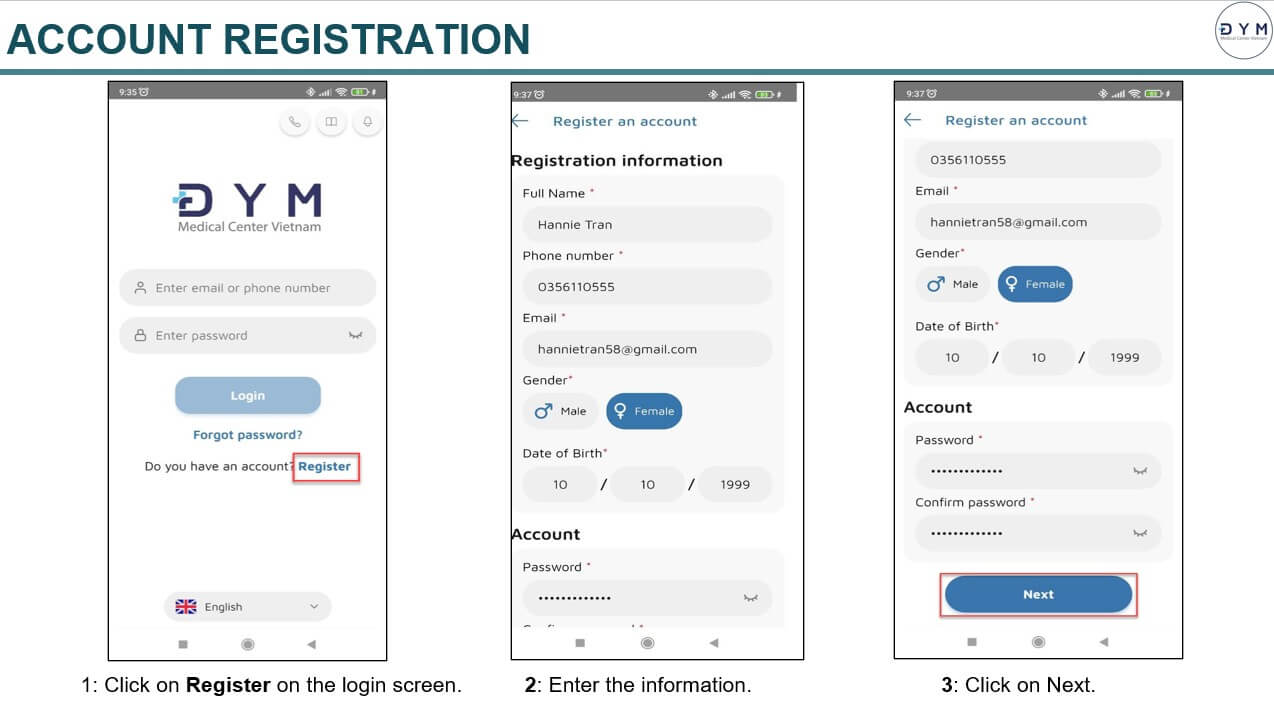
The registration journey collects contact and account information. The next step in the guide verifies the phone number with an OTP.
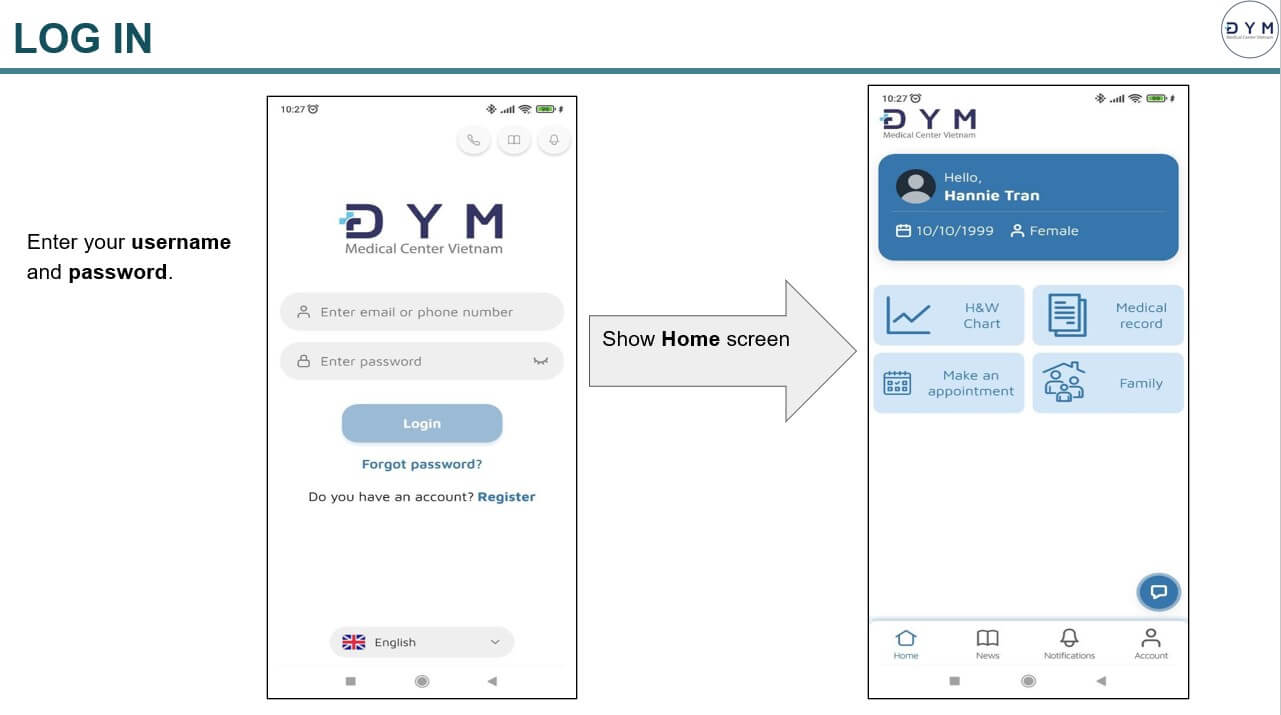
After login, the home screen brings appointments and the main patient functions together.
From the account screen, the patient selects the unlinked profile, enters their patient ID and completes phone verification. The app confirms when the link succeeds.
This establishes the connection used to access medical records through the account.
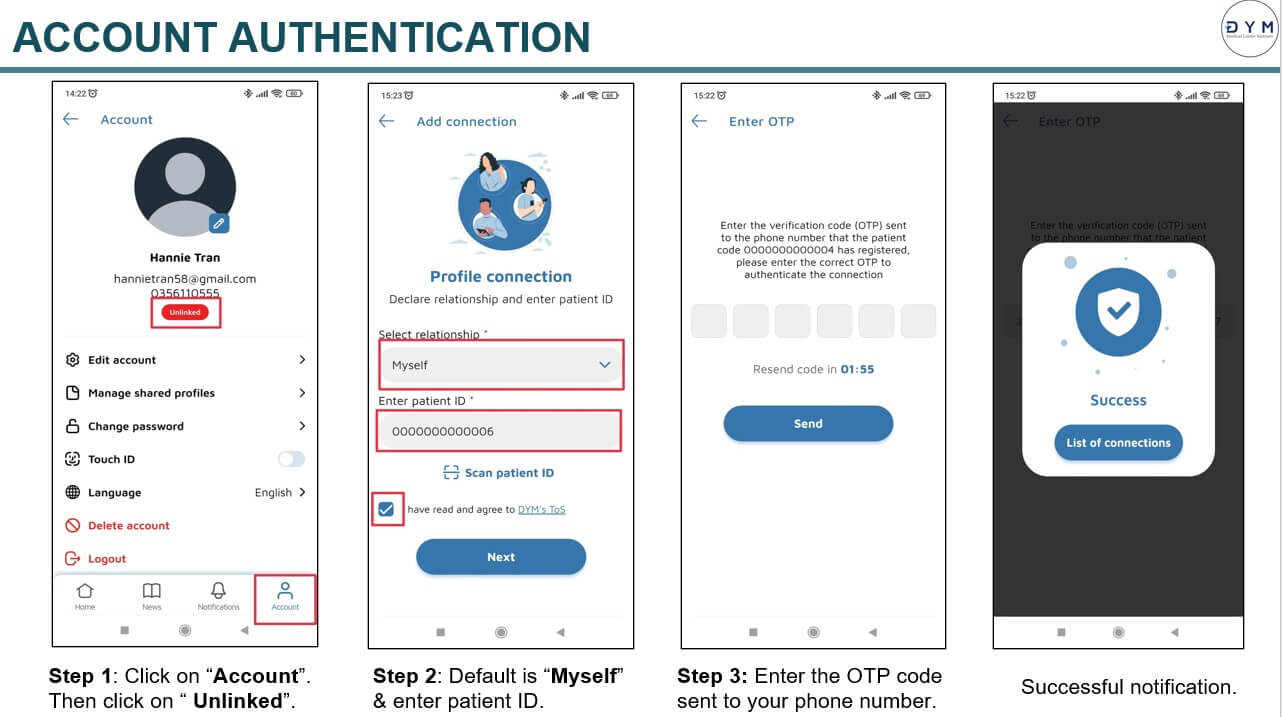
The guide shows the account screen, patient ID entry, phone verification and confirmation of the linked profile.
02 · Before and at the clinic
The appointment journey covers choosing a clinic and time, submitting the booking and completing a pre-visit survey. At the clinic, the patient can display a QR code for check-in.
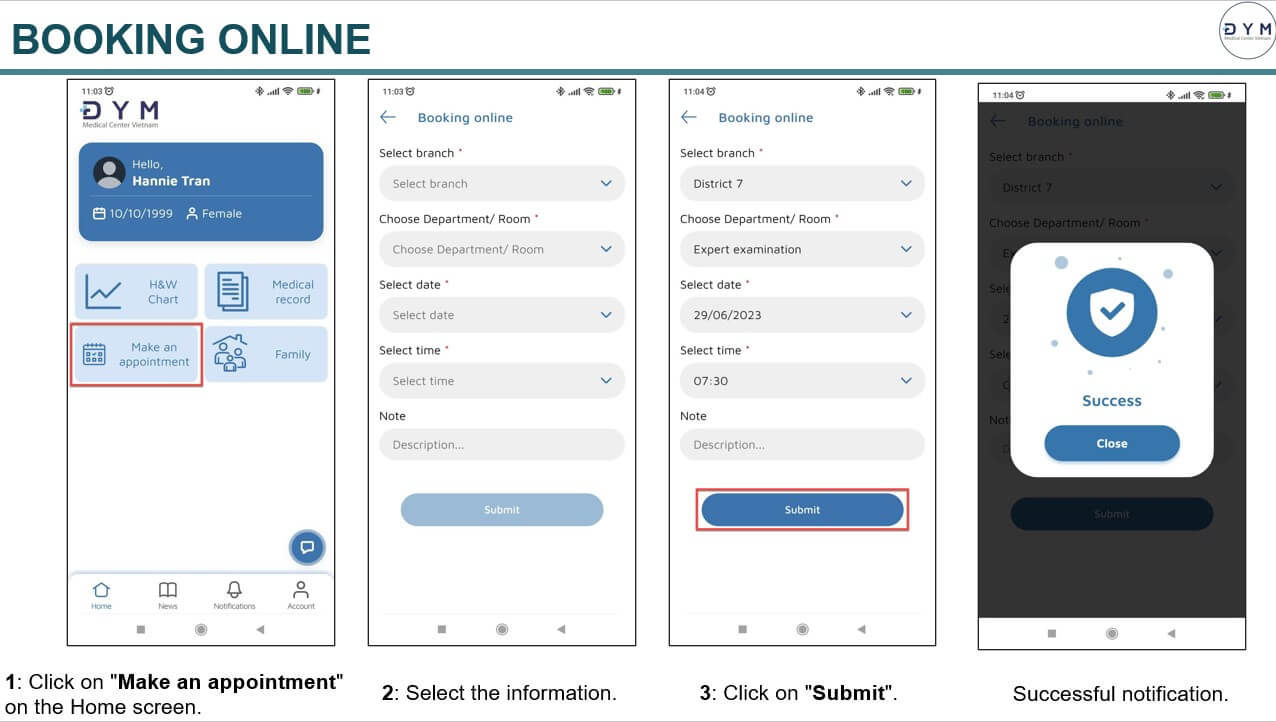
Patients choose the branch, department, doctor, date and time, then submit the appointment request and receive an on-screen confirmation.
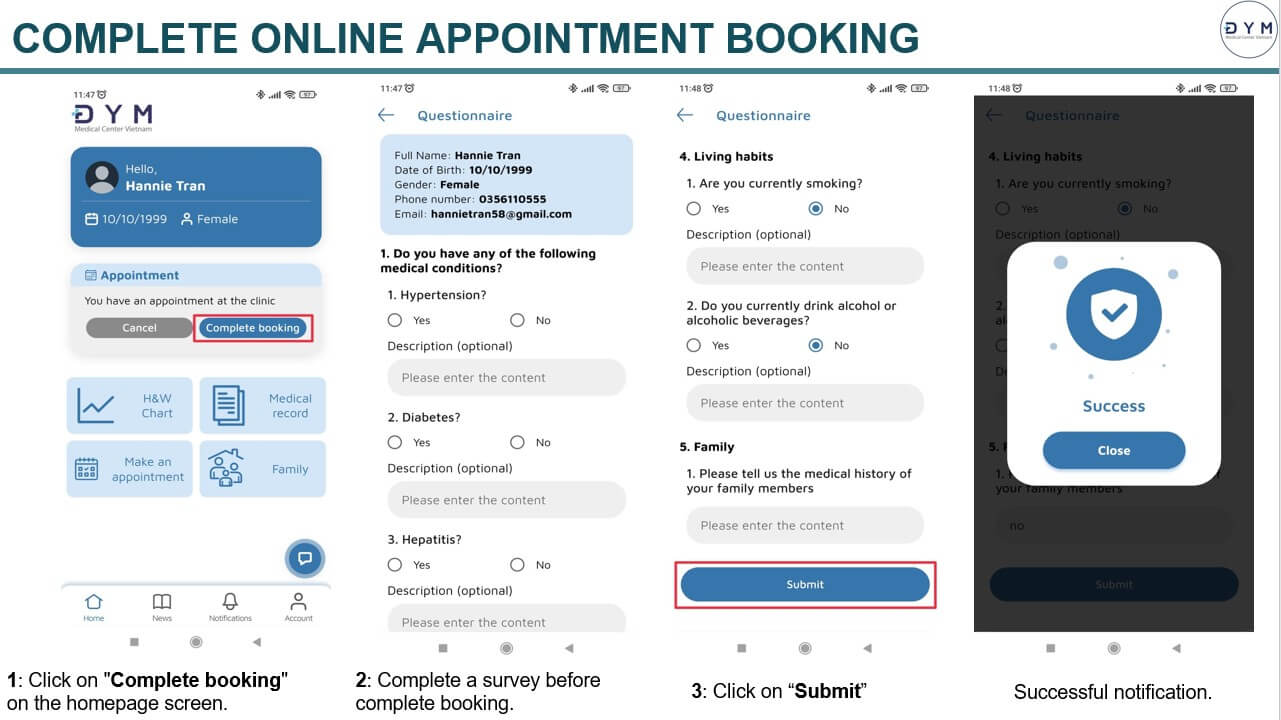
The “Complete booking” step asks the patient to complete a health survey before submitting the booking information.
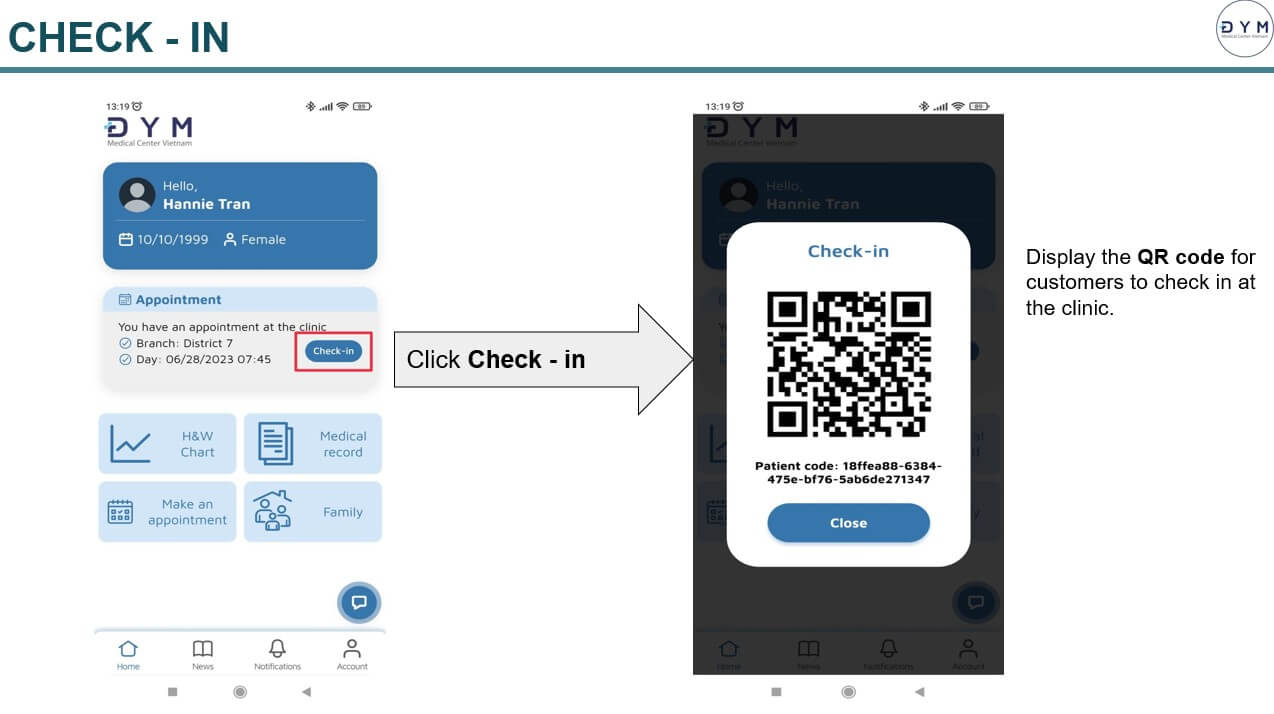
The check-in action displays a QR code that the patient can present at the clinic.
A separate health check-up booking flow lets patients choose the location and date, select a time slot and confirm the appointment. They can return to choose another slot before submitting.
The guide also covers cancelling an appointment with confirmation. Booking history gives patients a way to return to earlier appointment activity.
03 · After the visit
Patients can open a medical record, read the result details and view associated result images where available. Height and weight charts provide a separate view of recorded measurements over time.
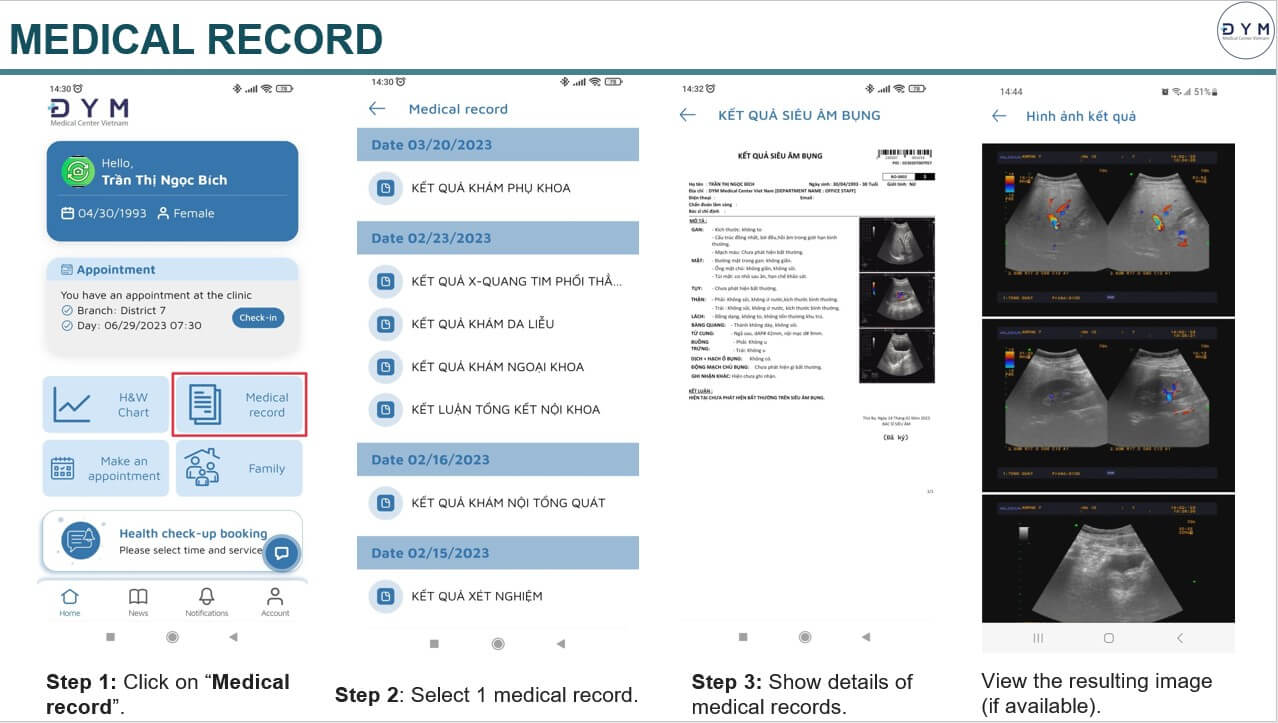
The journey moves from the home screen to a dated list of records, then into a selected result and its available images.
The H&W Chart function displays weight and height in separate charts, making earlier measurements visible within the same patient experience.
Patients can return to these records between clinic visits.
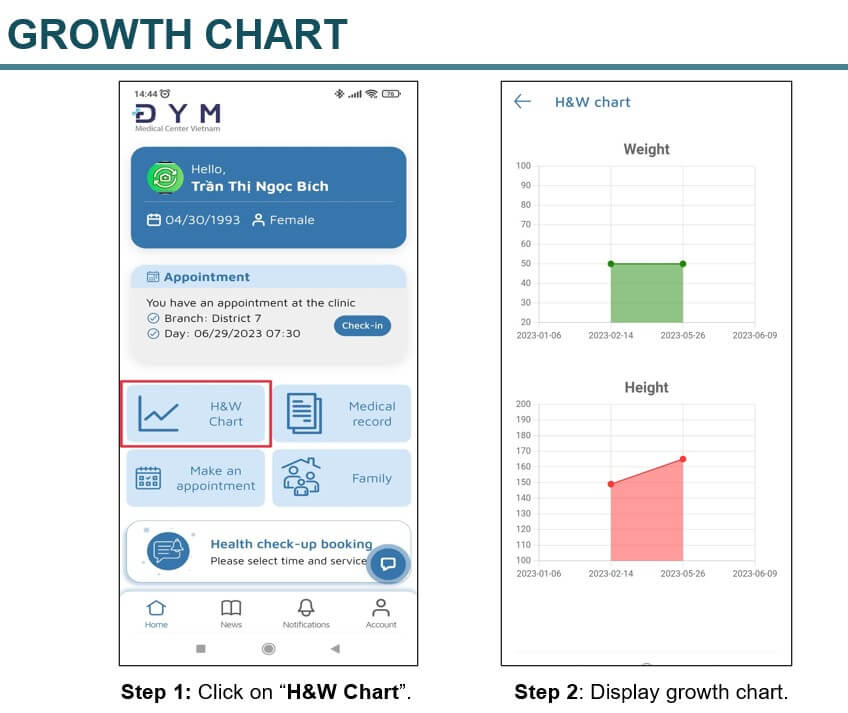
The H&W Chart view presents weight and height measurements as charts over time.
04 · Family access
The family function supports linking another patient profile to the account. The connection journey includes relationship details, a patient ID or QR scan and phone verification.
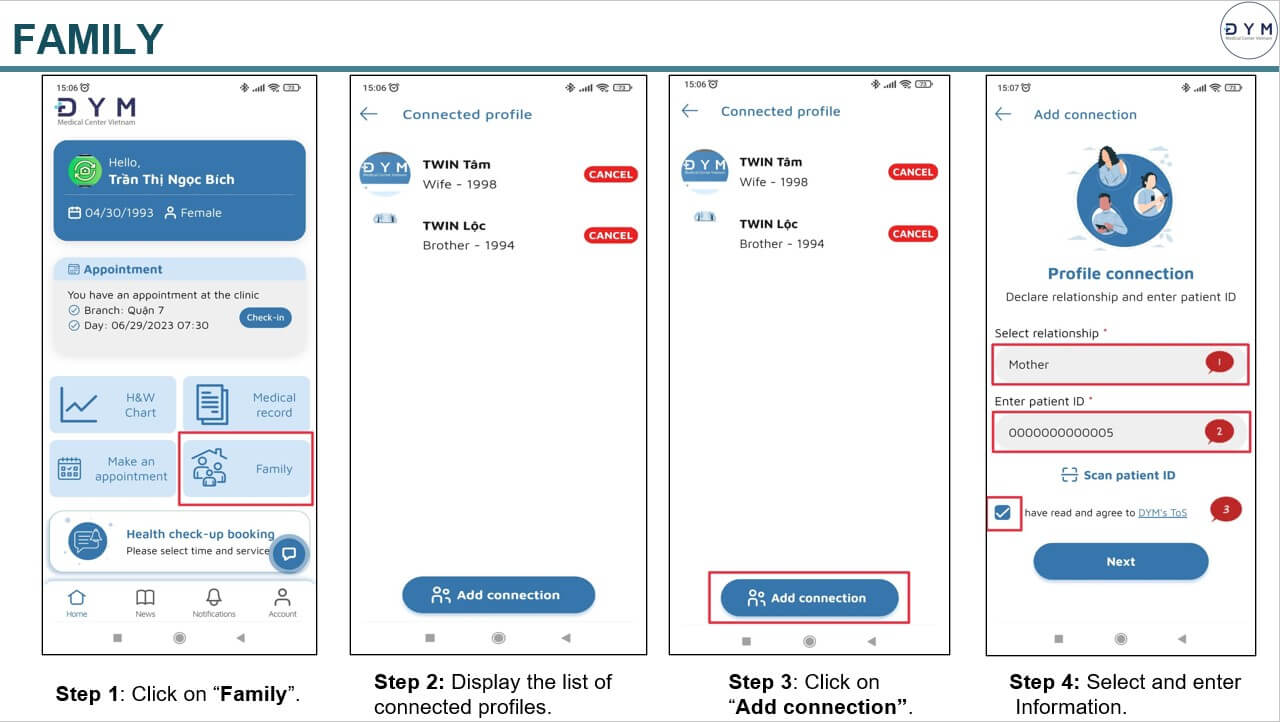
Patients can see their connected profiles and add a connection. The guide continues with QR scanning and OTP verification to complete the process.
A connected profile opens the family member’s information, with routes to medical records and height and weight charts.
Patients can disconnect a profile through a confirmation step. A separate shared-profiles list lets them review and cancel profiles they have shared.
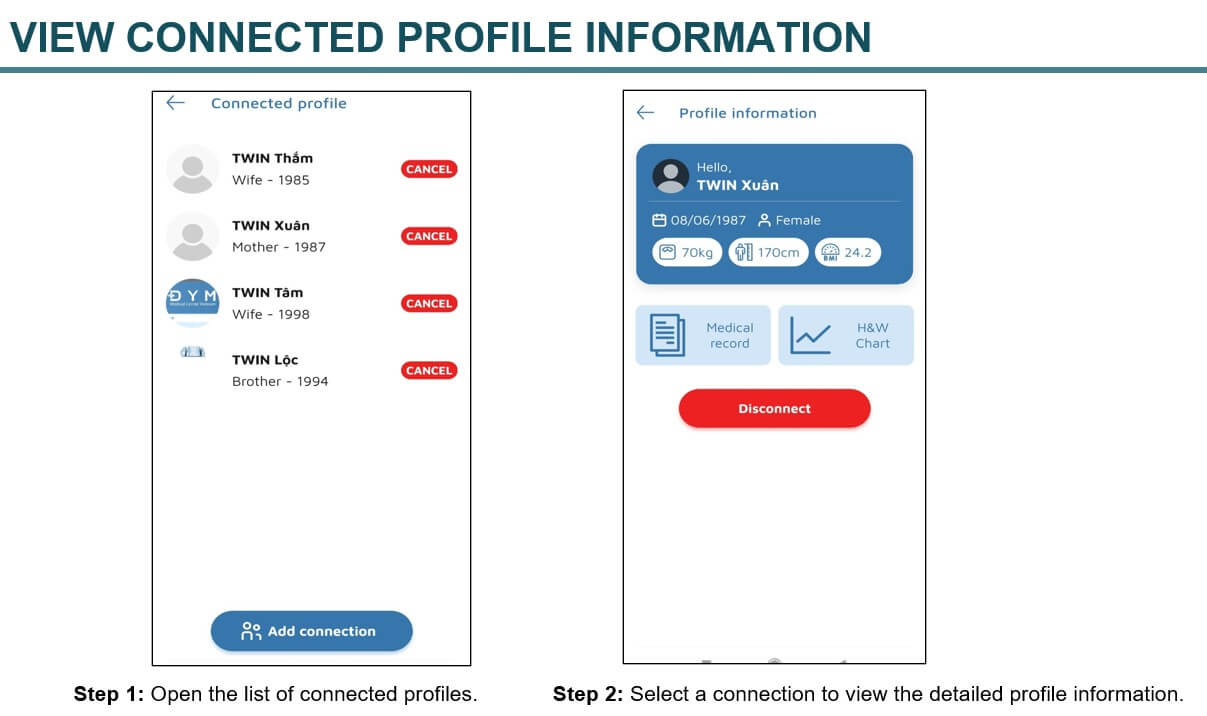
A selected connection opens the profile details and available record functions. A disconnect action is visible on the same screen.
05 · Ongoing service
The application also provides a place to read DYM’s published news and manage the account, including personal details, language and password settings.
The news section provides a list of articles, category selection and an article detail view. Patients can browse health information without leaving the app.
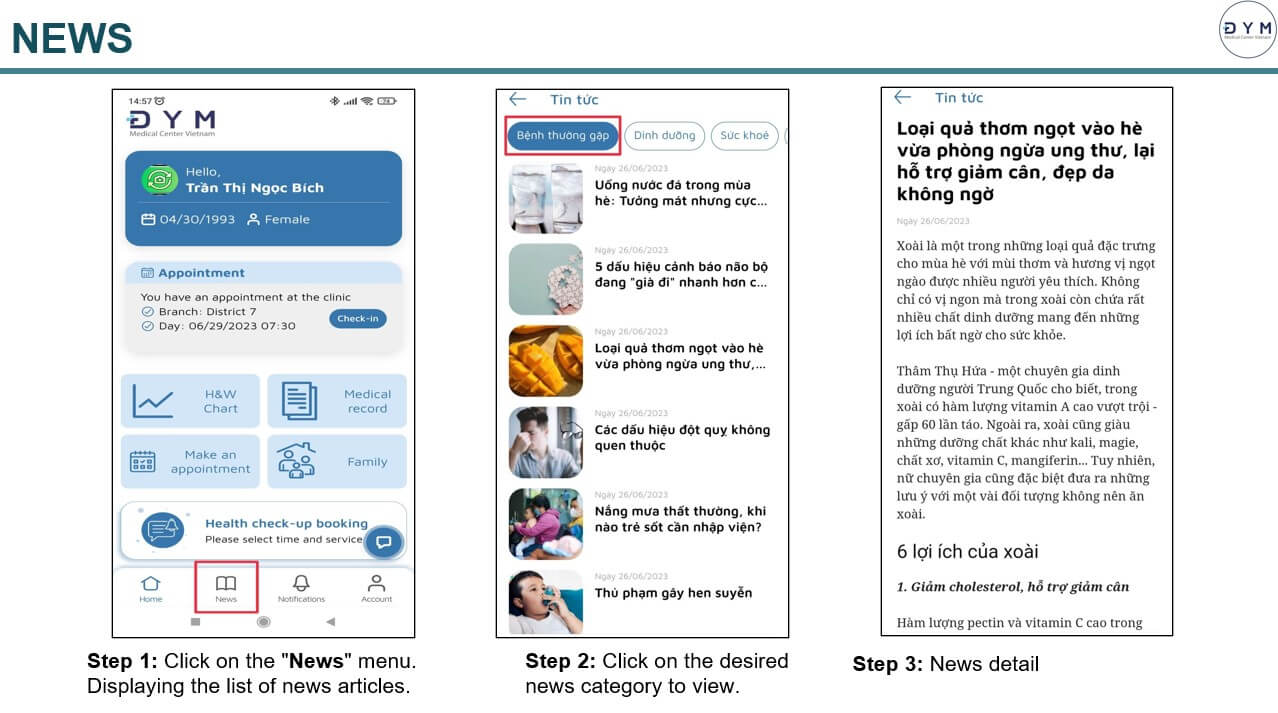
The news journey moves from the home screen to a category list and into the selected article.
About this project
DYM Medical Center Vietnam provides the clinic services and publishes the application on Google Play and the App Store. Twin developed the patient application.
The feature descriptions and original screens on this page follow DYM’s English user guide dated 29 June 2023. The app may have changed since these screens were prepared.
View the public application listings.
DYM Medical on Google PlayDYM Medical on the App StorePatient application development
Talk with Twin about the booking, record access and family profile journeys your service needs to support.